Documentation IndexFetch the complete documentation index at: /llms.txtUse this file to discover all available pages before exploring further.
Fetch the complete documentation index at: /llms.txt
Use this file to discover all available pages before exploring further.
# conf t   //进入配置模式
(config)# snmp-server enable traps    //启用snmptrap
(config)# snmp-server community ITCloud ro   //配置snmp只读团体名为ITCloud
(config)# snmp-server host 10.140.20.183 traps version 2c ITCloud123  //配置snmptrap团体名(ITCloud123)、trap接收服务器地址(10.140.20.183)
(config)# snmp-server host 10.140.20.183 source-interface mgmt0  //配置snmptrap源地址为管理口(mgmt0)
(config)# exit  //退出配置模式
# copy running-config startup-config     //保存配置
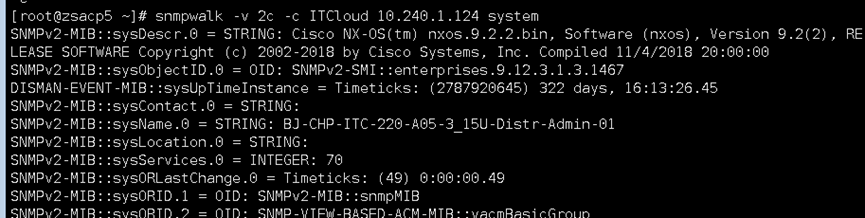
snmpwalk -v 2c -c ITCloud 10.240.1.124 system
tcpdump -nn "udp" and host 192.168.145.9
# 命令格式为:tcpdump -nn "udp" and host 设备IP
Was this page helpful?