
1.4.1. 创建自动发现规则
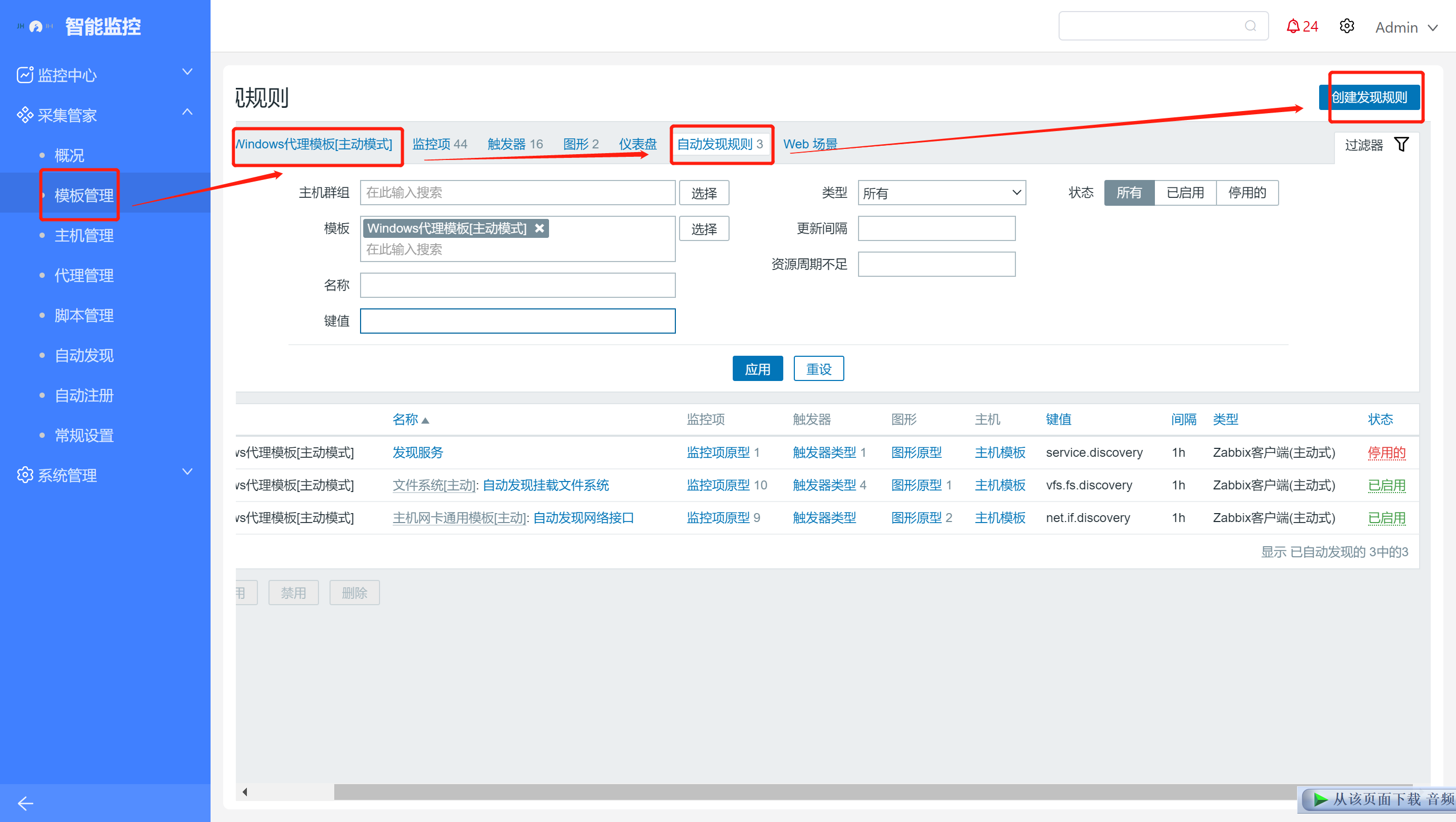
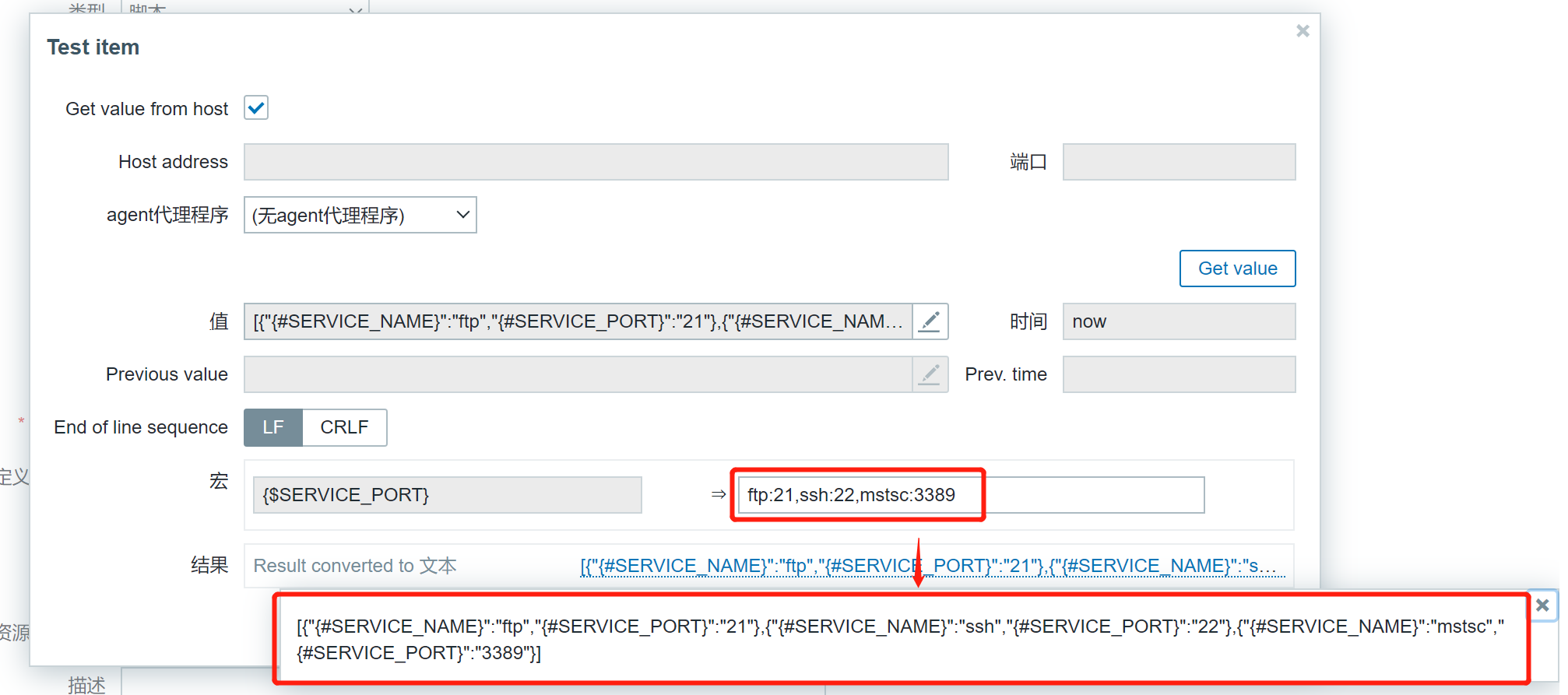
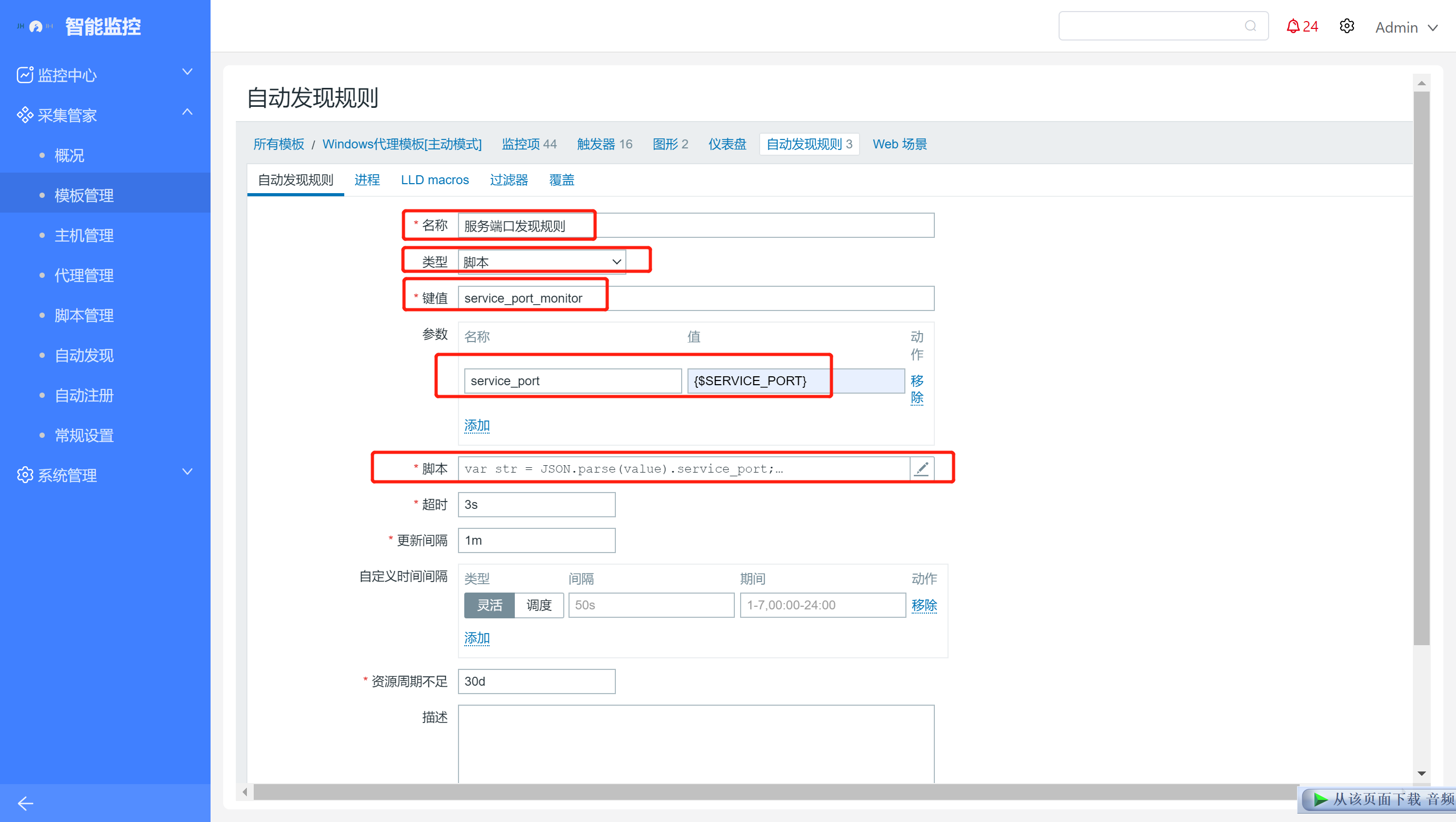 自动发现规则使用”脚本“类型,脚本内容填写如下
1.4.2. 添加监控项原型
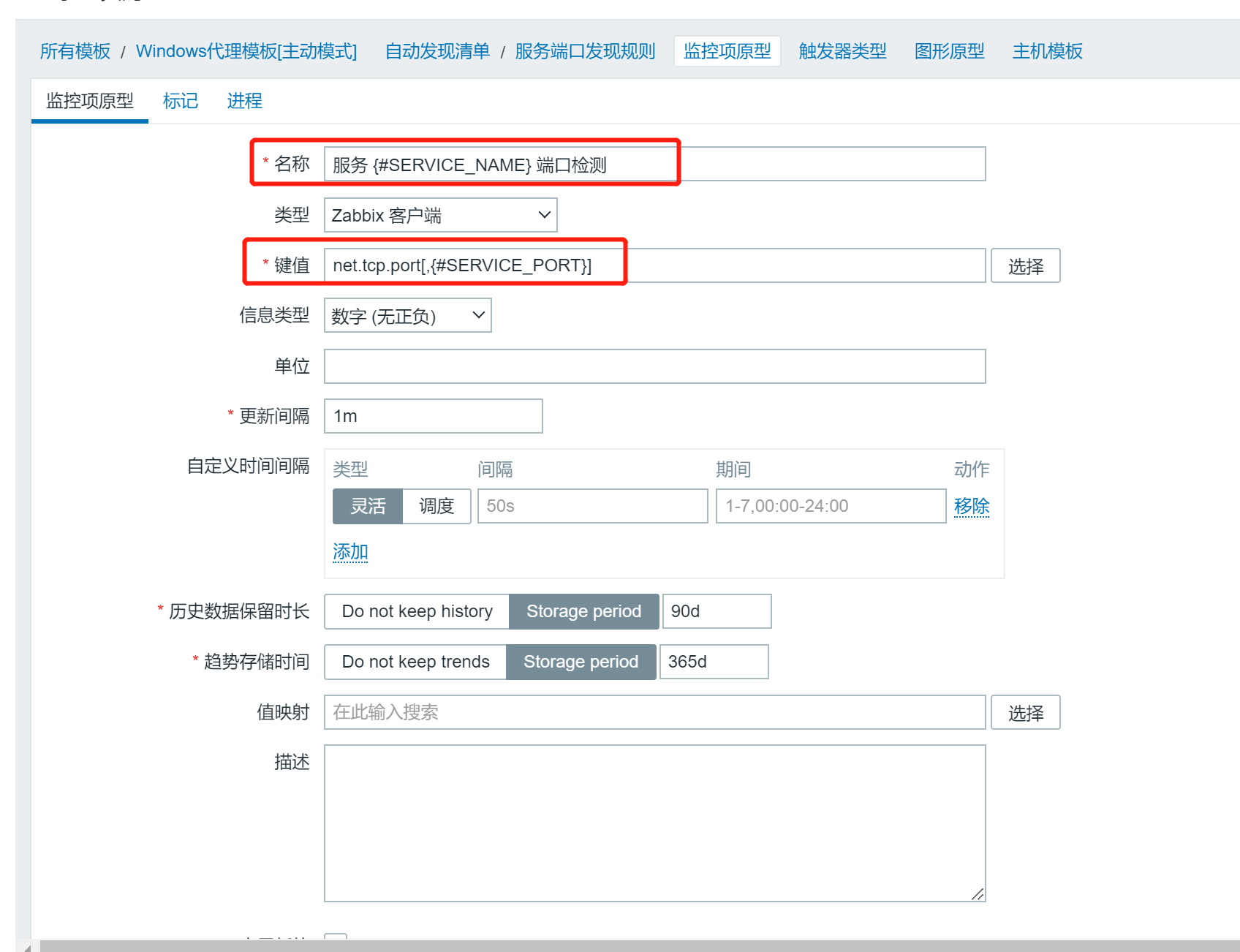
选择如下键值进行端口探测 名称:服务 {#SERVICE_NAME} 端口检测 键值:net.tcp.port[,{#SERVICE_PORT}]
1.4.3. 定义模板宏
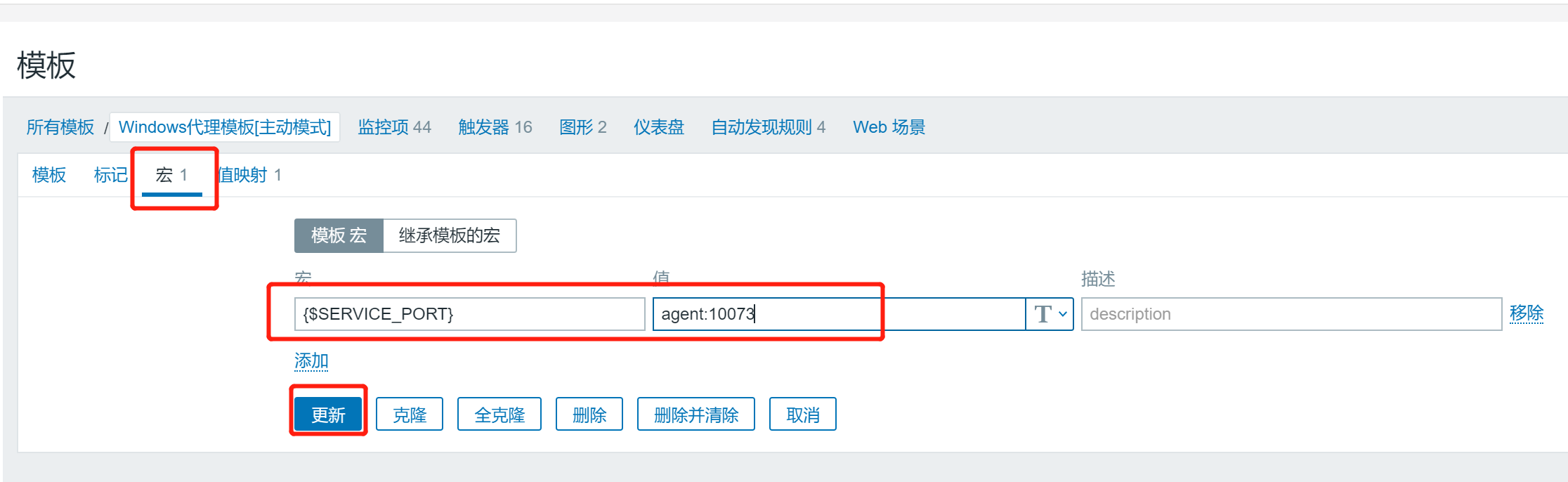
1.4.4. 任意windows操作系统查看监控效果
修改或使用默认模板宏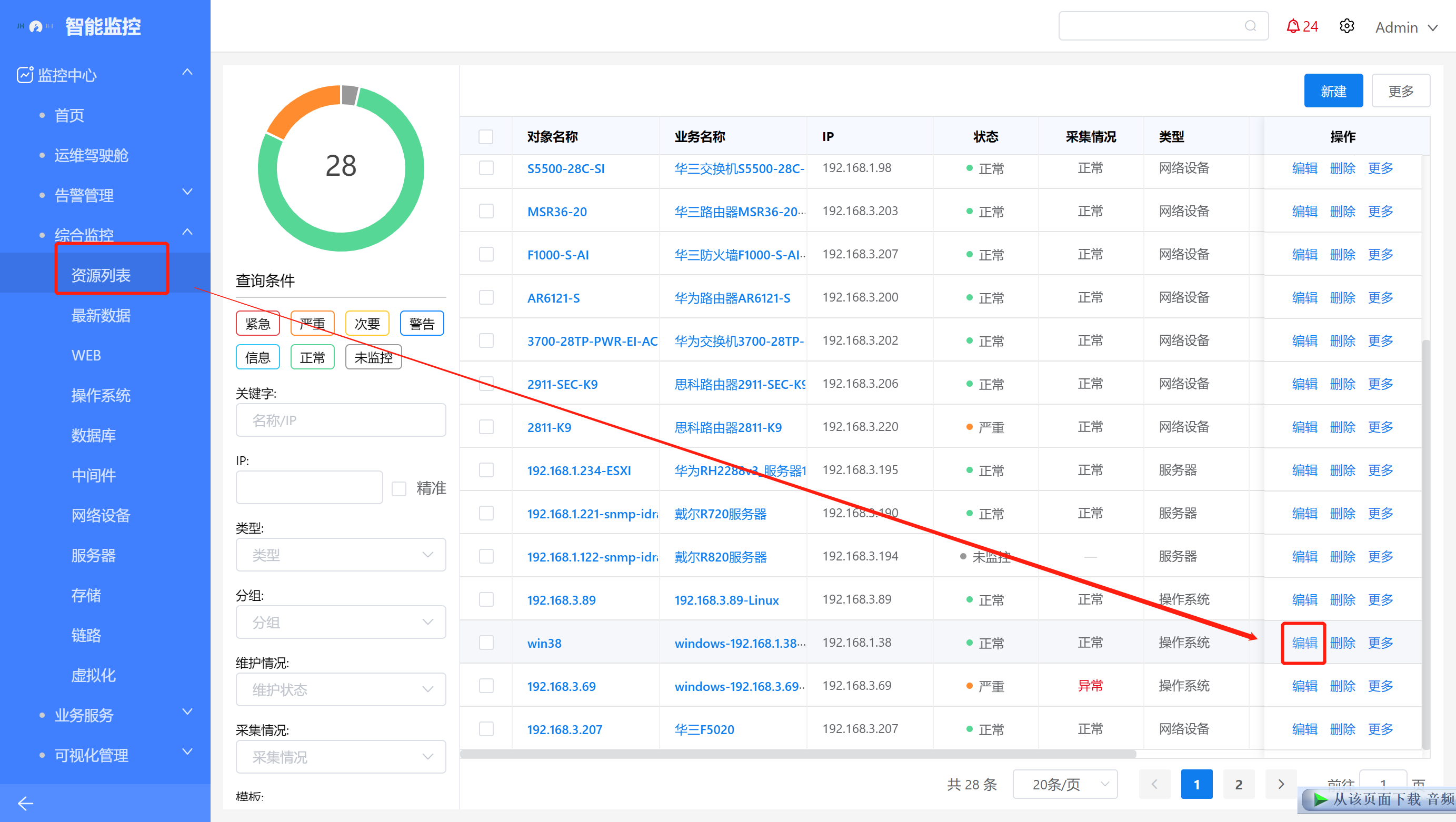 agent:10050,mstsc:3389,tomcat:7001
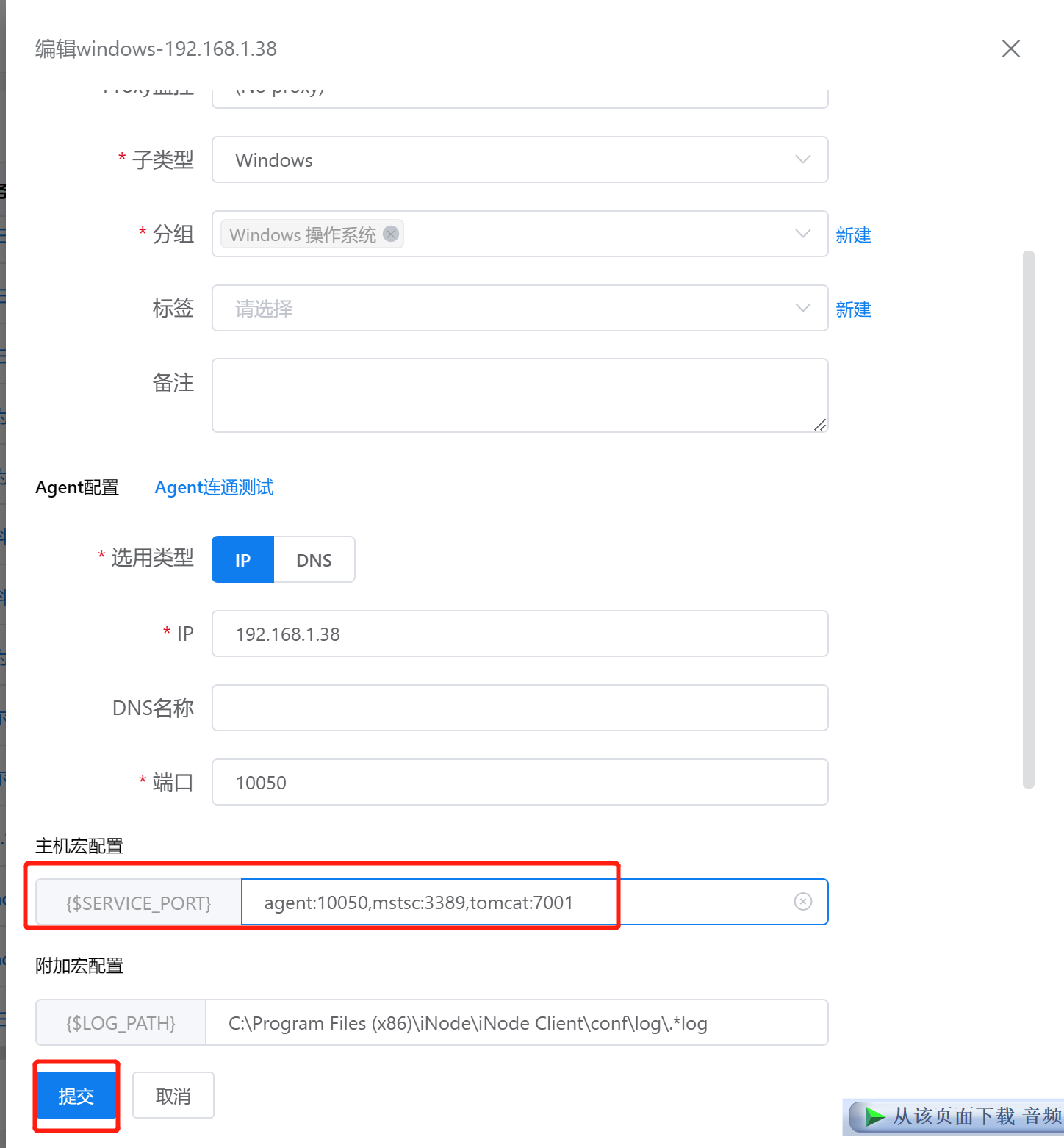
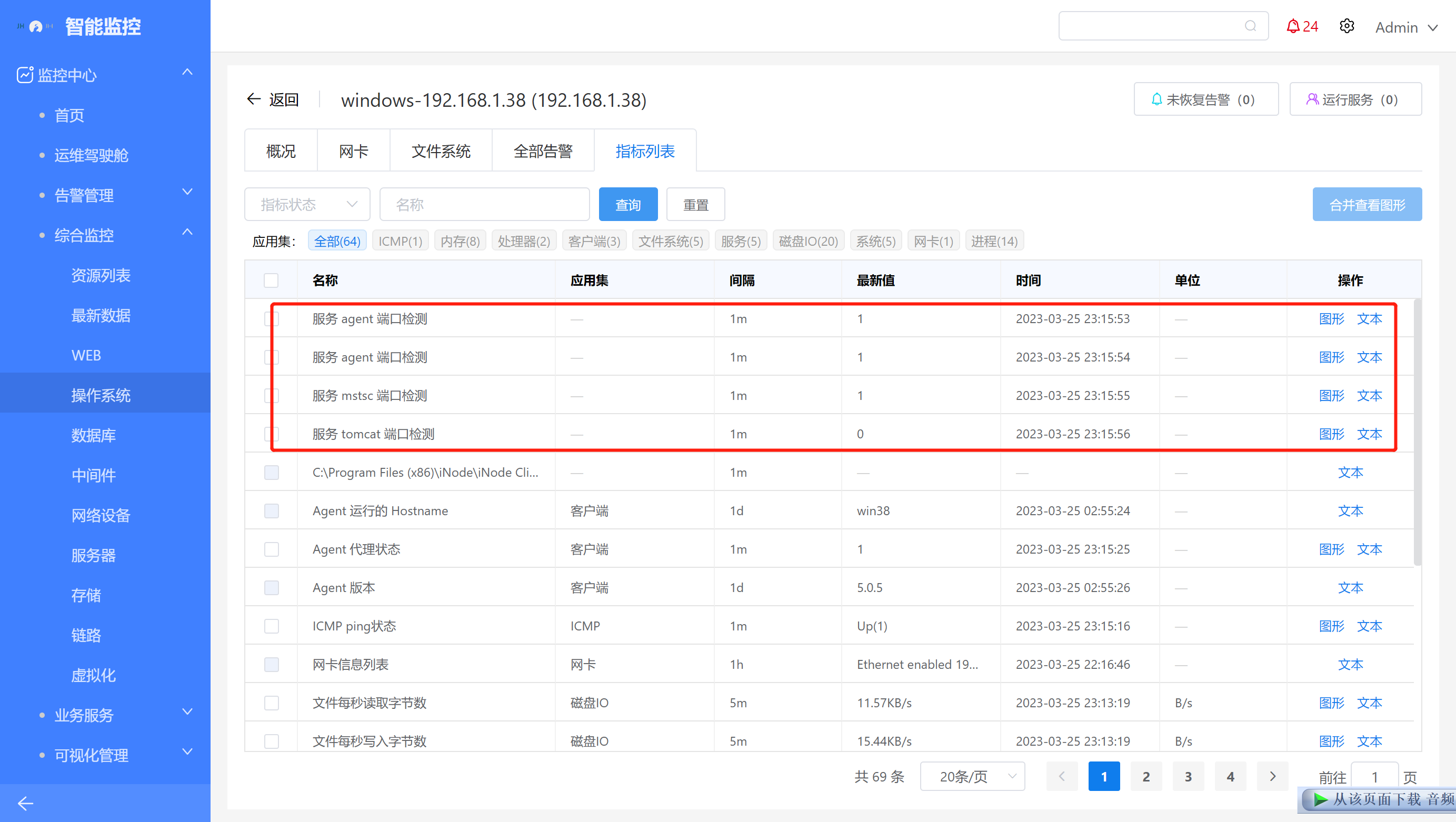
1.4.5. 验证监控项
 自动发现规则使用”脚本“类型,脚本内容填写如下
名称:服务 {#SERVICE_NAME} 端口检测 键值:net.tcp.port[,{#SERVICE_PORT}]
agent:10050,mstsc:3389,tomcat:7001
自动发现规则使用”脚本“类型,脚本内容填写如下
名称:服务 {#SERVICE_NAME} 端口检测 键值:net.tcp.port[,{#SERVICE_PORT}]
agent:10050,mstsc:3389,tomcat:7001