> ## Documentation Index
> Fetch the complete documentation index at: https://doc.lwops.cn/llms.txt
> Use this file to discover all available pages before exploring further.

# 实时报表

操作视频：[实时报表教程](\[https://forum.lwops.cn/videos?video_id=16\&page=1]\(https://forum.lwops.cn/videos?video_id=16\&page=1\))

## 1.实时报表

### 1.1.概述

根据监控对象类型，配置对应的实时报表，实现设备状态数据的可视化展示，帮助快速洞察设备运行状态。

### 1.2.配置步骤

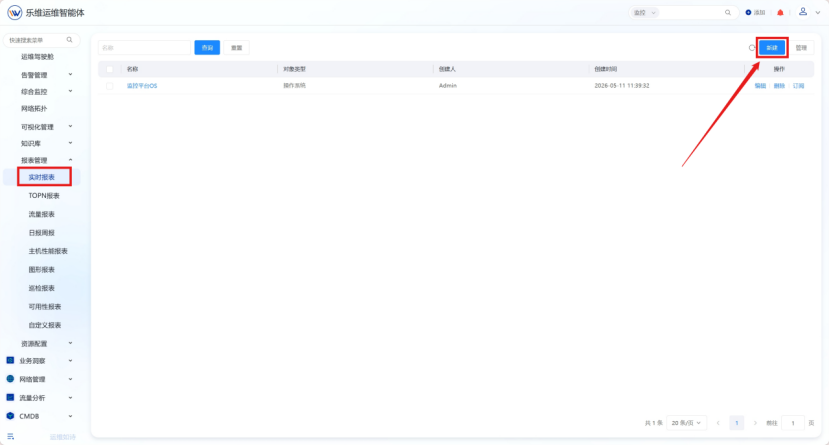
#### 1.2.1.新建实时报表

在报表管理-实时报表界面，点击右上角“新建”按钮 <img src="https://lwweb.oss-cn-shenzhen.aliyuncs.com/docs/images/yuque/rt-rpt/image-01.png" alt="实时报表 操作截图 1" />

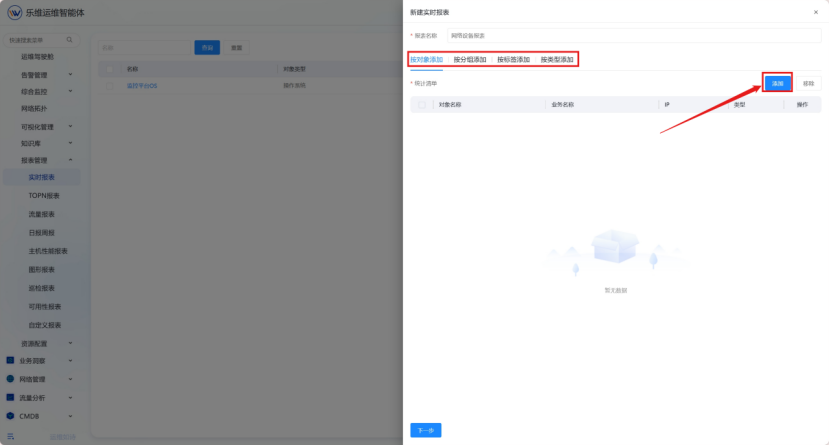
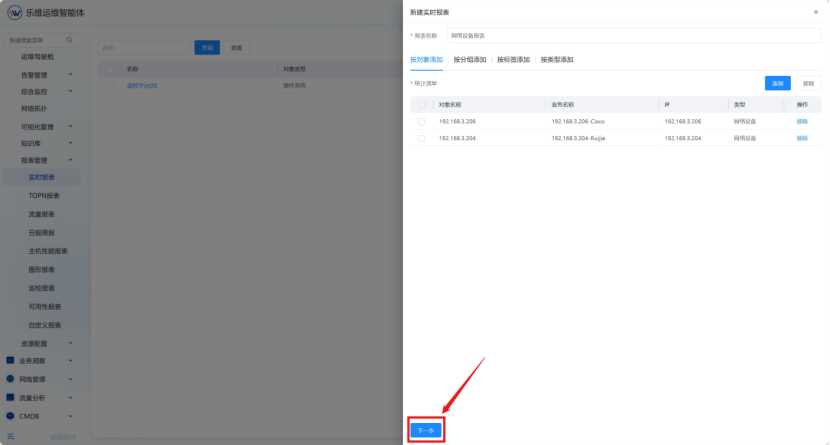
#### 1.2.2填写报表名称并添加对象

<img src="https://lwweb.oss-cn-shenzhen.aliyuncs.com/docs/images/yuque/rt-rpt/image-02.png" alt="实时报表 操作截图 2" />

<img src="https://lwweb.oss-cn-shenzhen.aliyuncs.com/docs/images/yuque/rt-rpt/image-03.png" alt="实时报表 操作截图 3" />

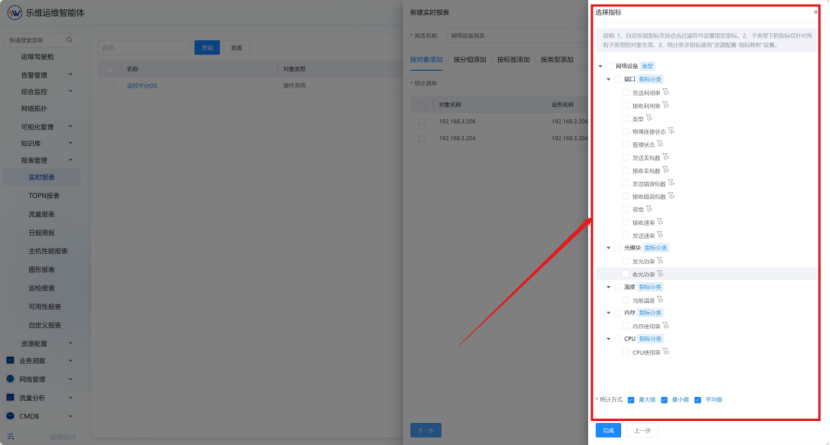
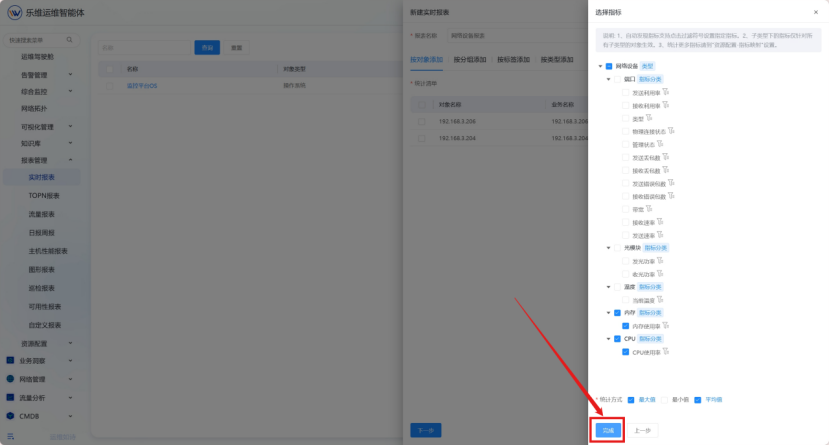
#### 1.2.3添加指标

选择需要显示的对象指标与统计方式 <img src="https://lwweb.oss-cn-shenzhen.aliyuncs.com/docs/images/yuque/rt-rpt/image-04.png" alt="实时报表 操作截图 4" />

#### 1.2.4保存设置

填写完成后点击“完成”，完成报表创建。 <img src="https://lwweb.oss-cn-shenzhen.aliyuncs.com/docs/images/yuque/rt-rpt/image-05.png" alt="实时报表 操作截图 5" />

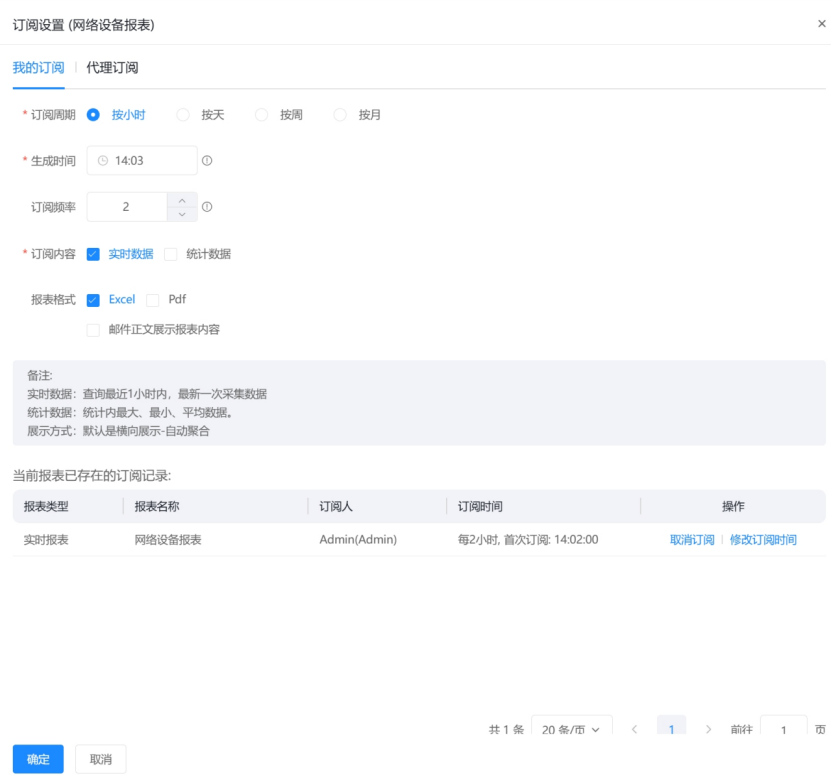
#### 1.2.5订阅实时报表

设置订阅周期、报表生成时间、订阅内容和报表格式。 <img src="https://lwweb.oss-cn-shenzhen.aliyuncs.com/docs/images/yuque/rt-rpt/image-06.png" alt="实时报表 操作截图 6" /> <img src="https://lwweb.oss-cn-shenzhen.aliyuncs.com/docs/images/yuque/rt-rpt/image-07.png" alt="实时报表 操作截图 7" />
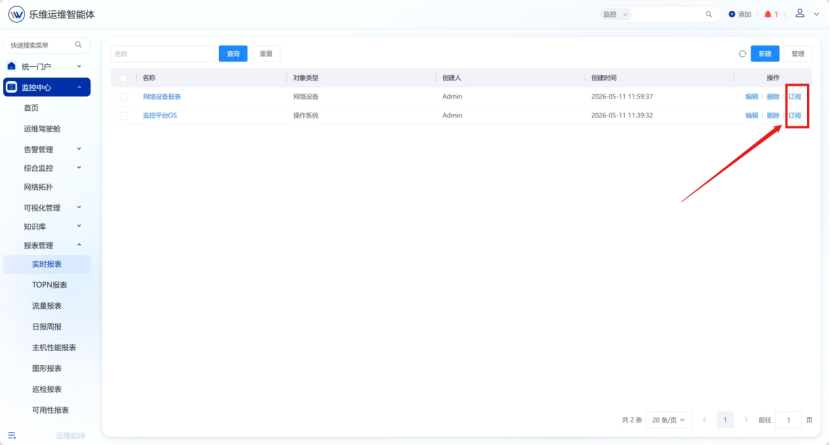
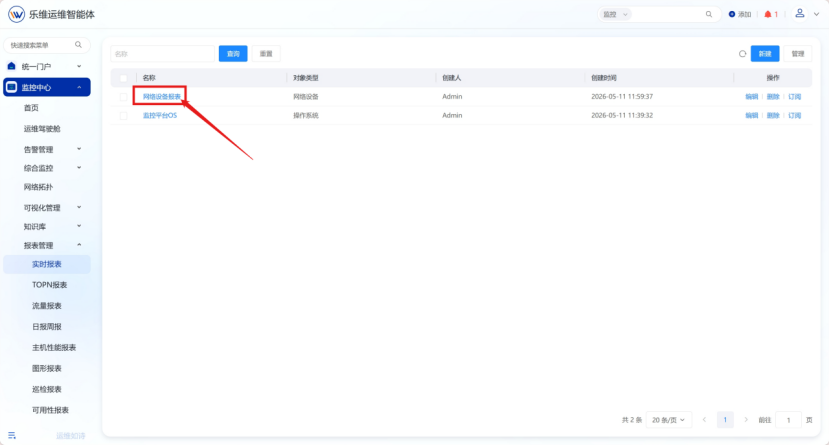
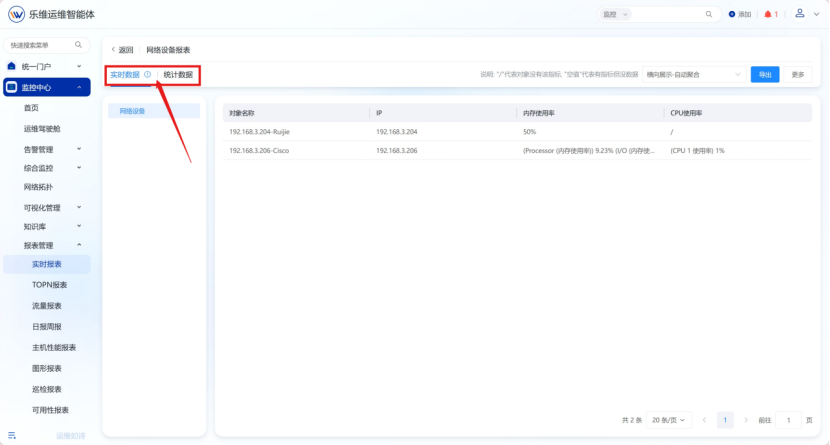
#### 1.2.6查看报表

点击报表名称可进入报表详情，提供实时数据或者统计数据两种视角查看报表数据。 <img src="https://lwweb.oss-cn-shenzhen.aliyuncs.com/docs/images/yuque/rt-rpt/image-08.png" alt="实时报表 操作截图 8" /> <img src="https://lwweb.oss-cn-shenzhen.aliyuncs.com/docs/images/yuque/rt-rpt/image-09.png" alt="实时报表 操作截图 9" />