> ## Documentation Index
> Fetch the complete documentation index at: https://doc.lwops.cn/llms.txt
> Use this file to discover all available pages before exploring further.

# 通知配置

操作视频：[通知配置教程](\[https://forum.lwops.cn/videos?video_id=8\&page=1]\(https://forum.lwops.cn/videos?video_id=8\&page=1\))

## 1.通知配置

### 1.1.概述

提供自定义通知规则配置，支持短信、邮箱、微信、钉钉、机器人、脚本等推送方式，可为不同用户或角色自由搭配不同的报警手段。

### 1.2.接收告警前提

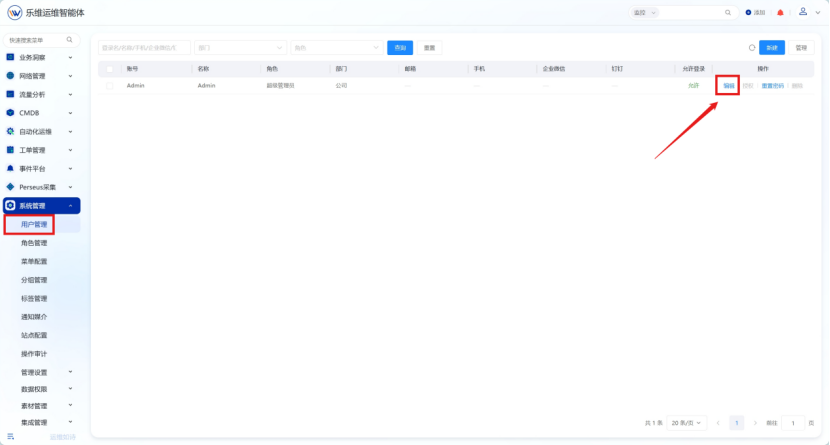
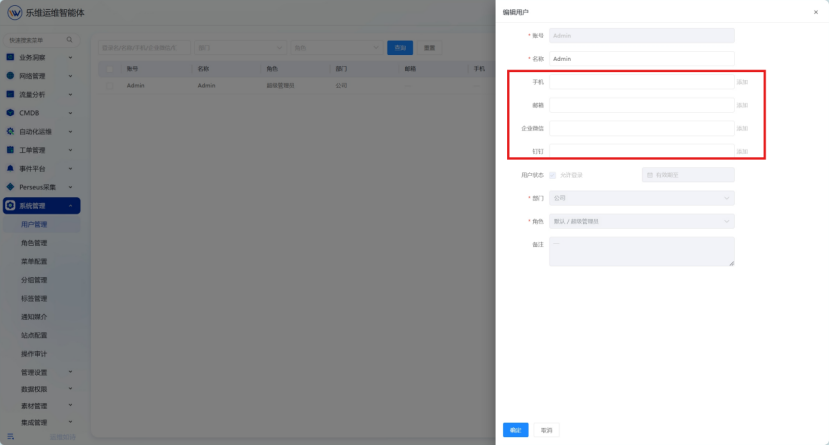
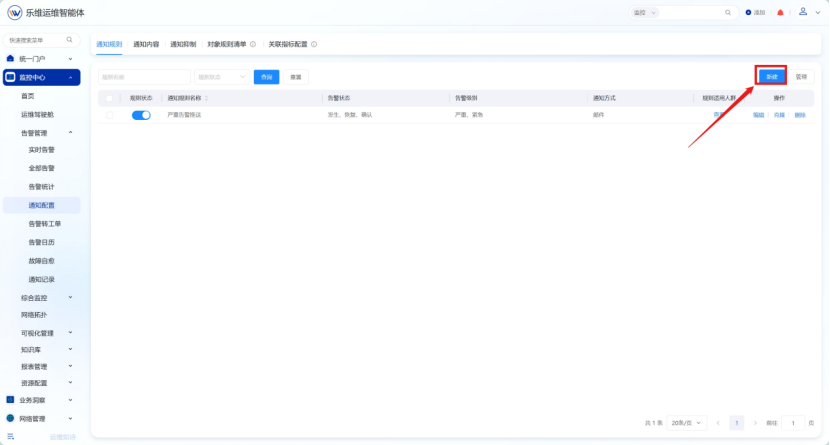
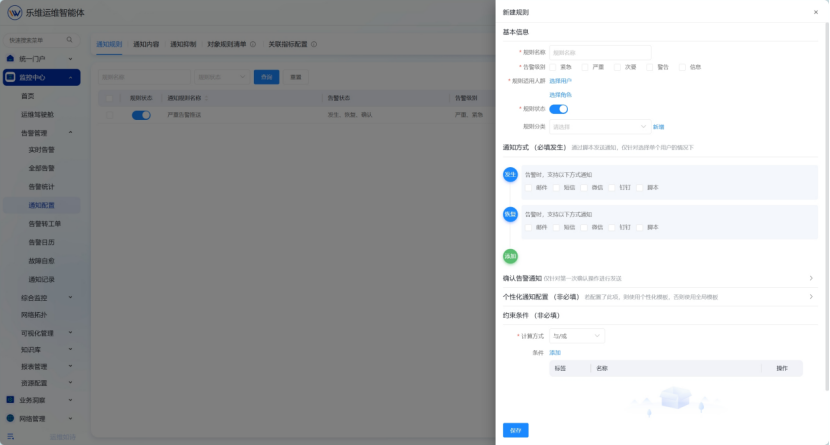
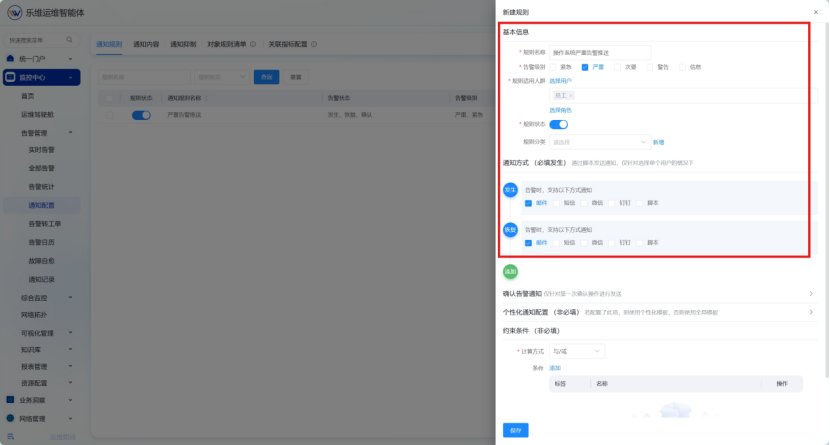
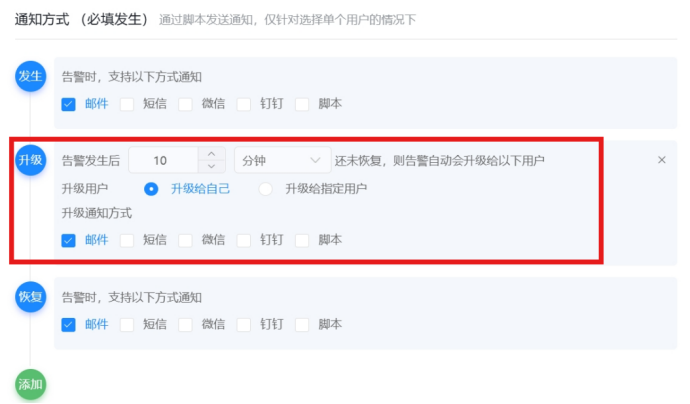
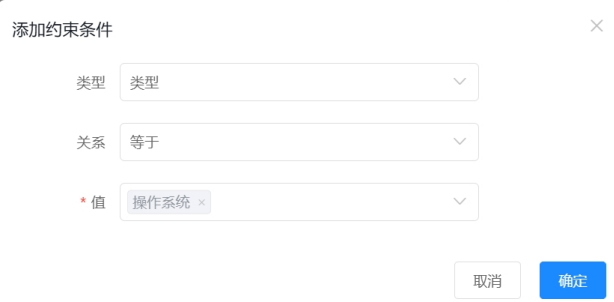
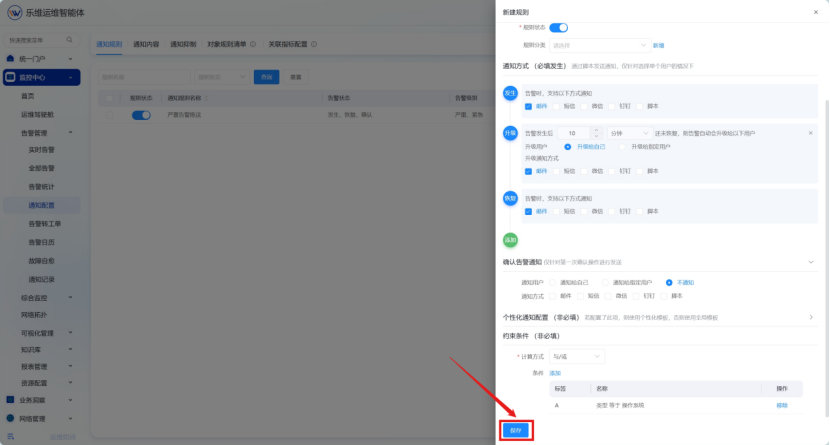
1，需要在【系统管理】-【用户管理】界面为用户配置邮箱、企微，手机号等信息 <img src="https://lwweb.oss-cn-shenzhen.aliyuncs.com/docs/images/yuque/notif-config/image-01.png" alt="通知配置 操作截图 1" /> <img src="https://lwweb.oss-cn-shenzhen.aliyuncs.com/docs/images/yuque/notif-config/image-02.png" alt="通知配置 操作截图 2" /> <img src="https://lwweb.oss-cn-shenzhen.aliyuncs.com/docs/images/yuque/notif-config/image-03.png" alt="通知配置 操作截图 3" /> <img src="https://lwweb.oss-cn-shenzhen.aliyuncs.com/docs/images/yuque/notif-config/image-04.png" alt="通知配置 操作截图 4" /> 2，根据需求填写基本信息，选择通知方式（邮件、短信、微信、钉钉等） <img src="https://lwweb.oss-cn-shenzhen.aliyuncs.com/docs/images/yuque/notif-config/image-05.png" alt="通知配置 操作截图 5" /> 3，点击\[添加]按钮可配置升级或者重复升级告警，例如：告警发生后10分钟还未恢复，则告警自动升级给自己。 <img src="https://lwweb.oss-cn-shenzhen.aliyuncs.com/docs/images/yuque/notif-config/image-06.png" alt="通知配置 操作截图 6" /> 4、配置约束条件，如配置设备类型等于操作系统，当告警对象类型为“操作系统”时才会触发该告警推送通知 <img src="https://lwweb.oss-cn-shenzhen.aliyuncs.com/docs/images/yuque/notif-config/image-07.png" alt="通知配置 操作截图 7" /> 5、确认配置信息后点击保存配置即可 <img src="https://lwweb.oss-cn-shenzhen.aliyuncs.com/docs/images/yuque/notif-config/image-08.png" alt="通知配置 操作截图 8" />