> ## Documentation Index
> Fetch the complete documentation index at: https://doc.lwops.cn/llms.txt
> Use this file to discover all available pages before exploring further.
# 业务探测
操作视频:[业务探测教程](\[https://forum.lwops.cn/videos?video_id=11\&page=1]\(https://forum.lwops.cn/videos?video_id=11\&page=1\))
## 1.业务探测
## 1.1.概述
通过配置 Web 探测任务,主动监测业务服务质量,设置 SLA 指标,保障业务服务水平达标。
## 1.2.配置步骤
### 1.2.1前置条件
在配置业务探测之前需要先在【综合监控】-【探测】模块新建web探测对象 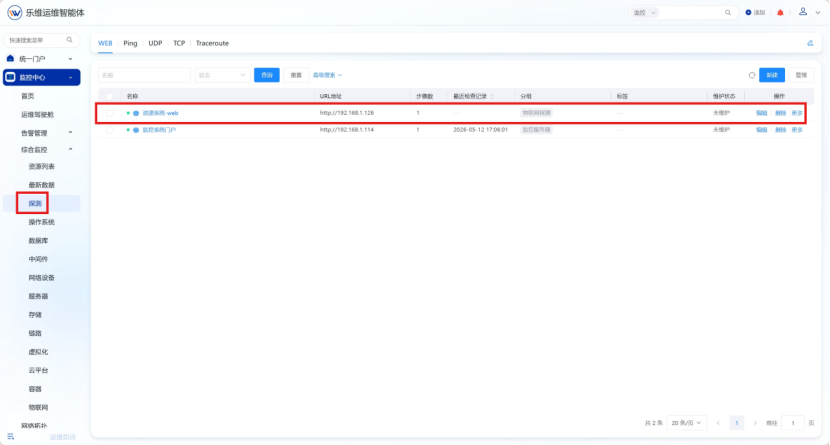 #### 1.2.2进入业务编辑界面
在业务管理界面,选择新建或者编辑已有业务
#### 1.2.2进入业务编辑界面
在业务管理界面,选择新建或者编辑已有业务 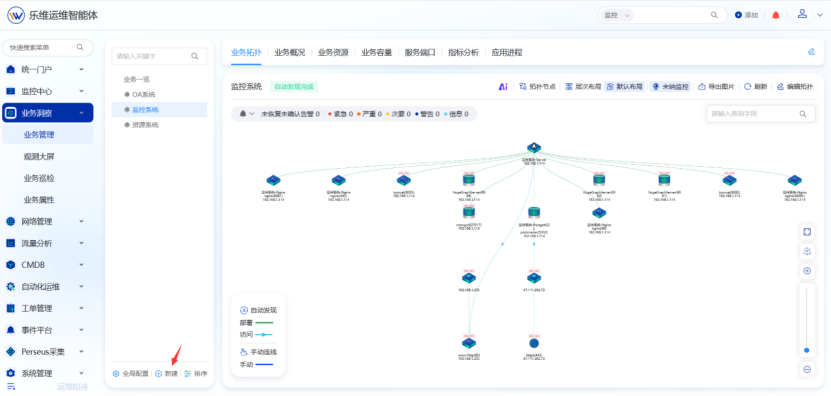 #### 1.2.3.添加业务探测
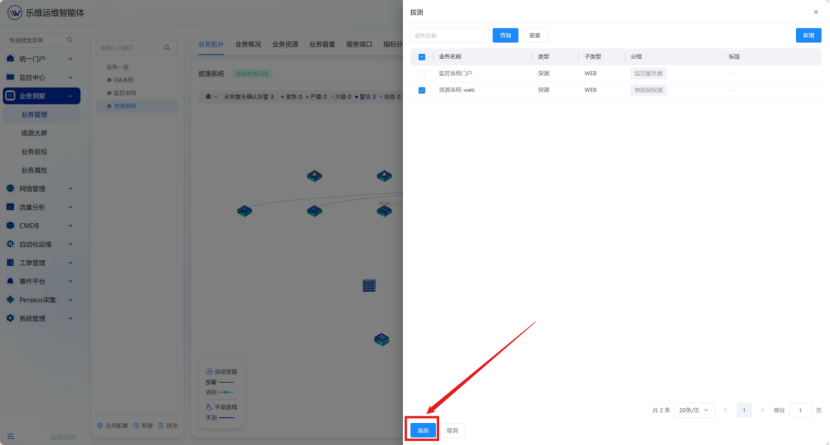
在业务编辑界面点击添加拨测,选择已有web探测目标或者新增web探测
#### 1.2.3.添加业务探测
在业务编辑界面点击添加拨测,选择已有web探测目标或者新增web探测 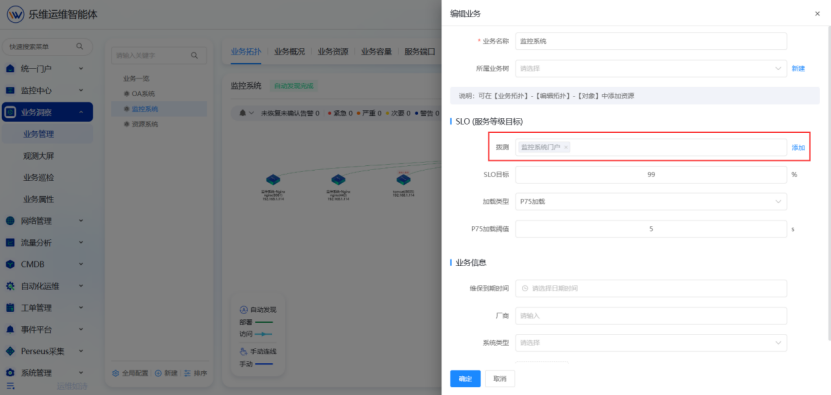
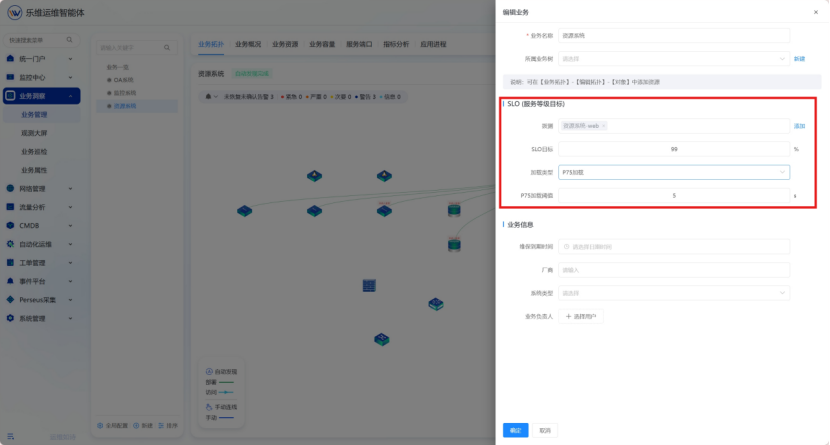
 #### 1.2.4.填写SLO(服务等级目标)
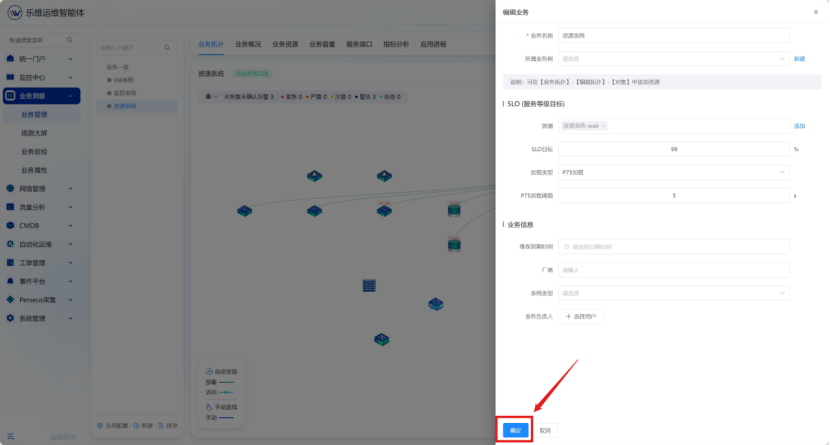
#### 1.2.5.保存设置
#### 1.2.6.查看
进入【业务一览】,找到对应业务即可查看业务探测信息
#### 1.2.4.填写SLO(服务等级目标)

#### 1.2.5.保存设置

#### 1.2.6.查看
进入【业务一览】,找到对应业务即可查看业务探测信息 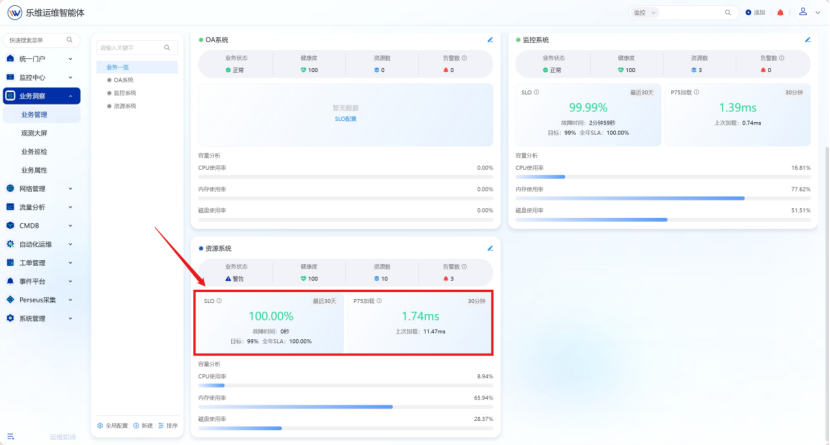 ## 2.观测大屏
### 2.1概述
通过配置 Web 探测任务,主动监测业务服务质量,设置 SLA 指标,保障业务服务水平达标。
### 2.2操作步骤
#### 2.2.1.进入观测大屏
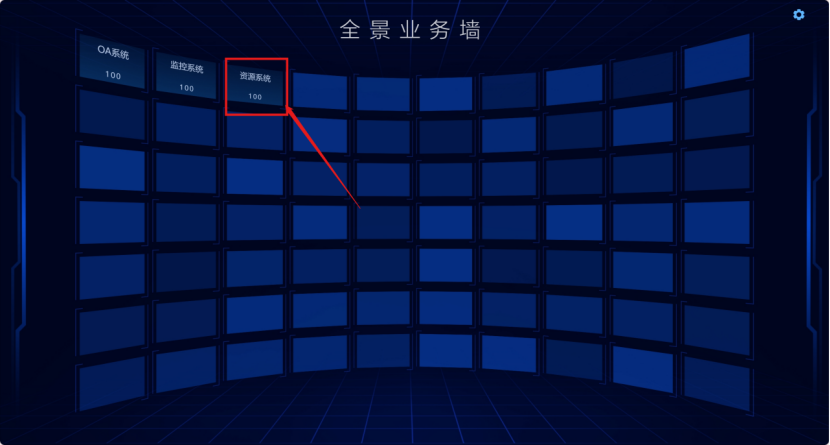
点击【业务洞察】-【观测大屏】界面,可看到有\[业务曲面墙],\[业务架构大屏],\[业务观测大屏]
## 2.观测大屏
### 2.1概述
通过配置 Web 探测任务,主动监测业务服务质量,设置 SLA 指标,保障业务服务水平达标。
### 2.2操作步骤
#### 2.2.1.进入观测大屏
点击【业务洞察】-【观测大屏】界面,可看到有\[业务曲面墙],\[业务架构大屏],\[业务观测大屏] 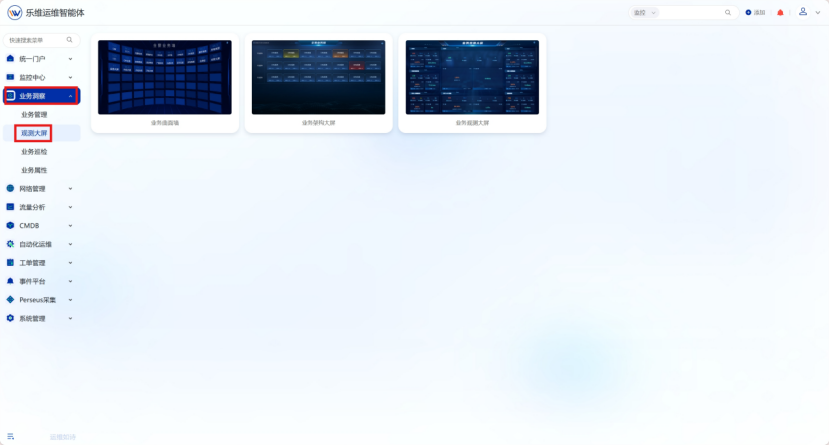 #### 2.2.2.大屏设置
**2.2.1.1进入设置界面** 分别点击进入【业务曲面墙】,【业务架构大屏】,【业务观测大屏】后,点击右上角设置⚙图标进入大屏设置界面
#### 2.2.2.大屏设置
**2.2.1.1进入设置界面** 分别点击进入【业务曲面墙】,【业务架构大屏】,【业务观测大屏】后,点击右上角设置⚙图标进入大屏设置界面 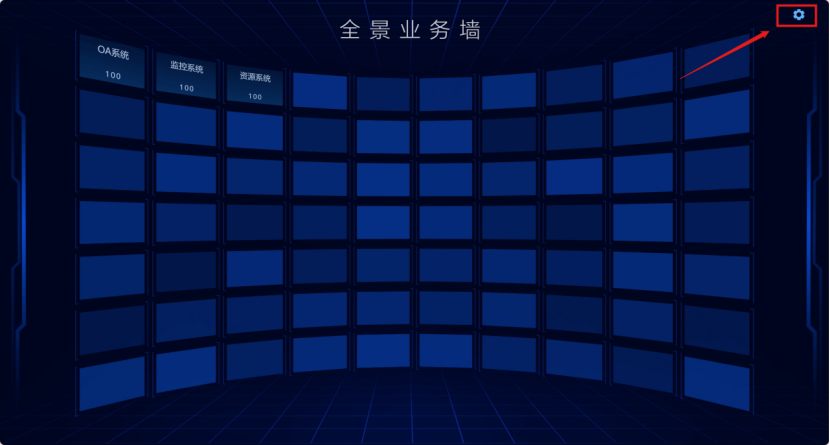 **2.2.1.2健康度配置** 点击“健康度”可配置健康度颜色展示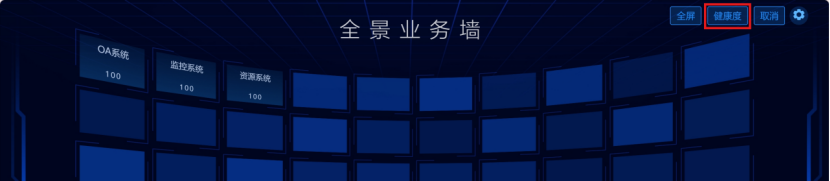
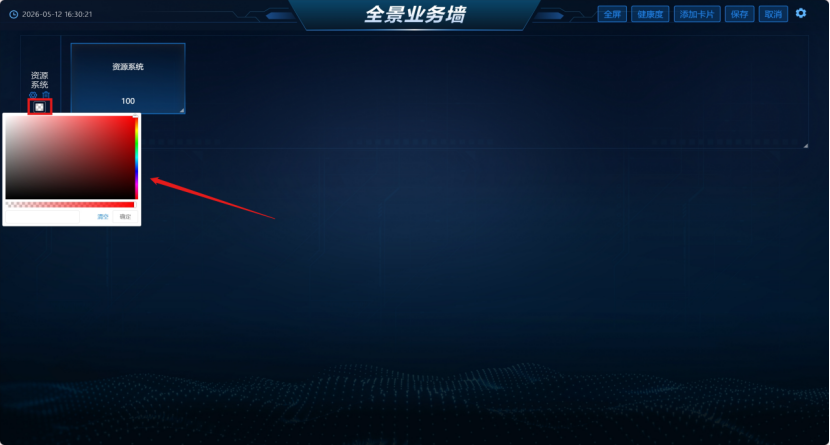
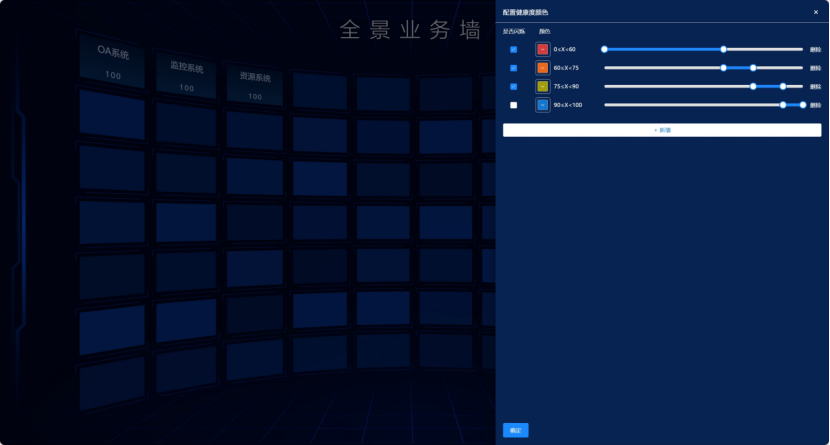 **2.2.1.3添加卡片(业务架构大屏)** 点击添加卡片,填写卡片名称并选择业务系统。 设置卡片背景颜色
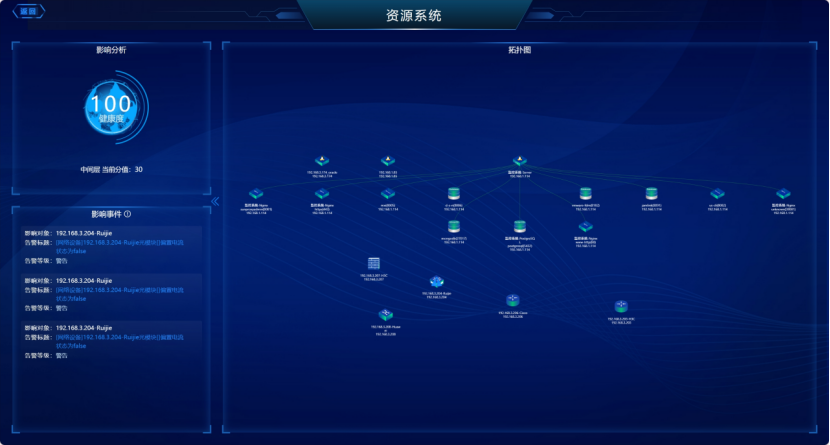
  **2.2.1.4业务详情** 点击业务系统框可跳转至业务详情,查看业务影响分析,影响事件以及拓扑图展示。