> ## Documentation Index
> Fetch the complete documentation index at: https://doc.lwops.cn/llms.txt
> Use this file to discover all available pages before exploring further.

# 模板制作操作手册

<Tip>
  快速使用：[模版制作工具](https://forum.lwops.cn/templates)
</Tip>

## 第一步：MIB文件解析

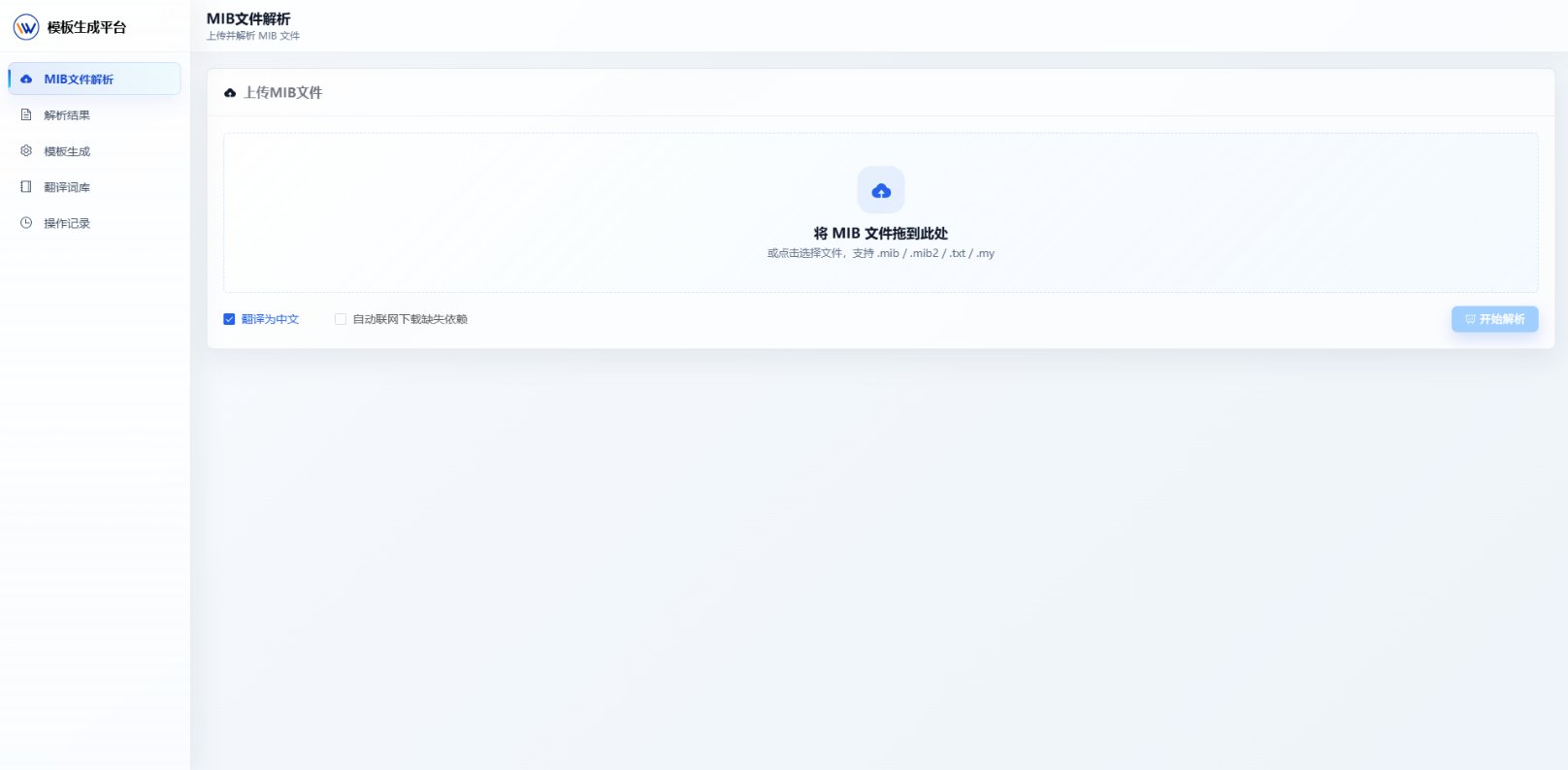
1.先将需要解析的MIB文件导入网站

<img src="https://mintcdn.com/lerwee/4KS2wnxw-GVekVGM/images/1.png?fit=max&auto=format&n=4KS2wnxw-GVekVGM&q=85&s=e4b40bd02555178ed5db7aa490cde1b8" alt="1" width="1616" height="794" data-path="images/1.png" />

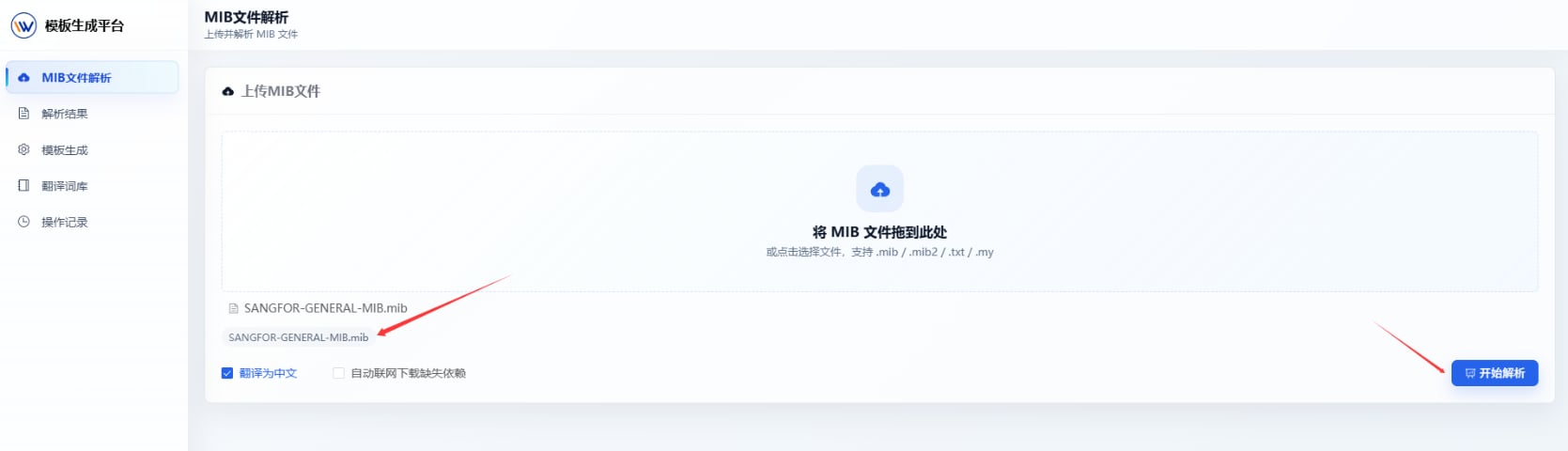
2.导入之后可以自行选着是否将里面的键值翻译为中文参考，然后选择开始解析

<img src="https://mintcdn.com/lerwee/4KS2wnxw-GVekVGM/images/2.png?fit=max&auto=format&n=4KS2wnxw-GVekVGM&q=85&s=84cdd6119c37205dee772bbc86528e46" alt="2" width="1669" height="480" data-path="images/2.png" />

## 第二步：查看解析结果

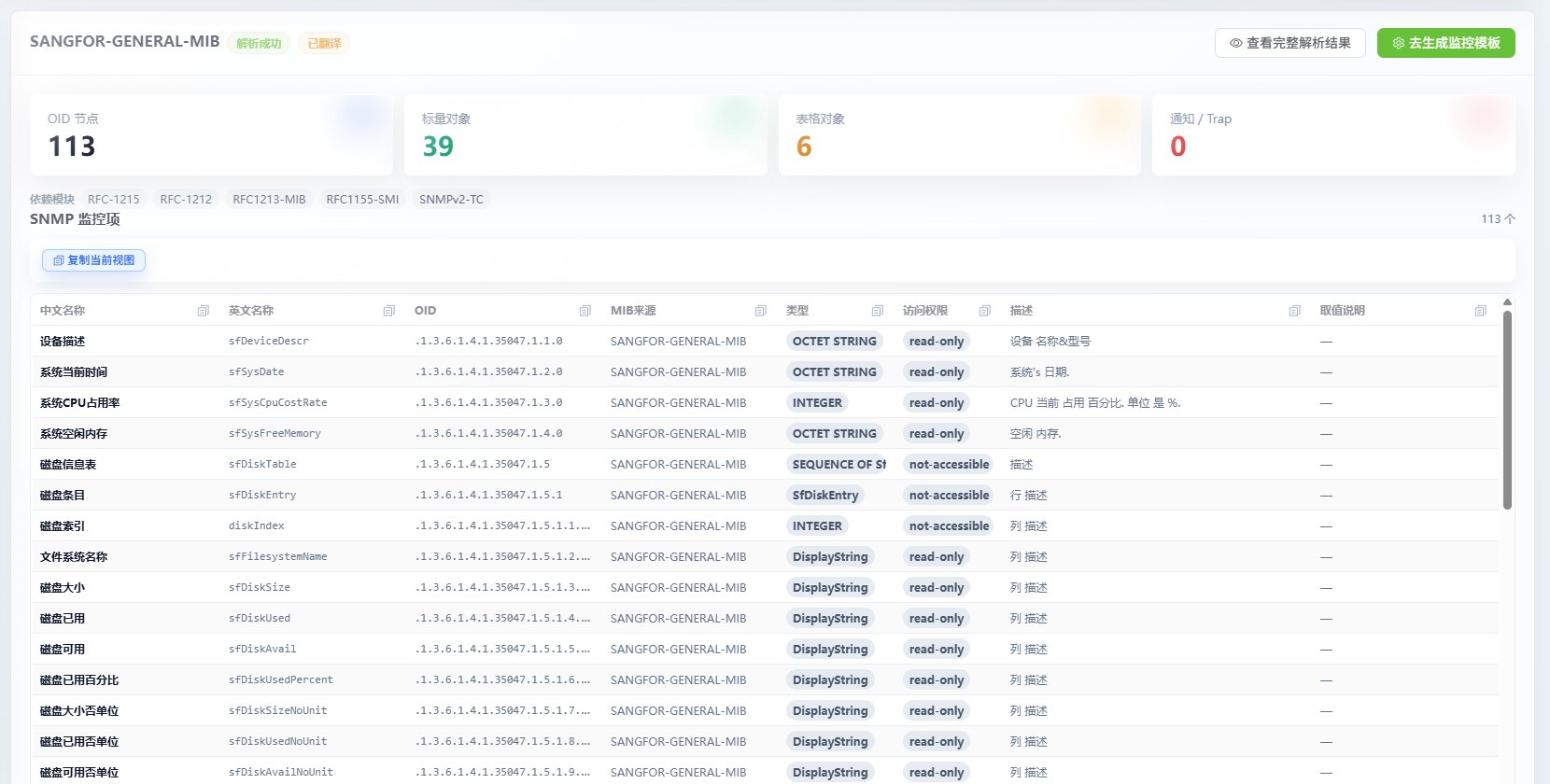
1.解析之后便可以看到所需要的信息，中文名称，英文名称，OID，MIB来源，类型，访问权限。

<img src="https://mintcdn.com/lerwee/4KS2wnxw-GVekVGM/images/3.png?fit=max&auto=format&n=4KS2wnxw-GVekVGM&q=85&s=64096c6229f94aca87d751a5ffcc085c" alt="3" width="1660" height="840" data-path="images/3.png" />

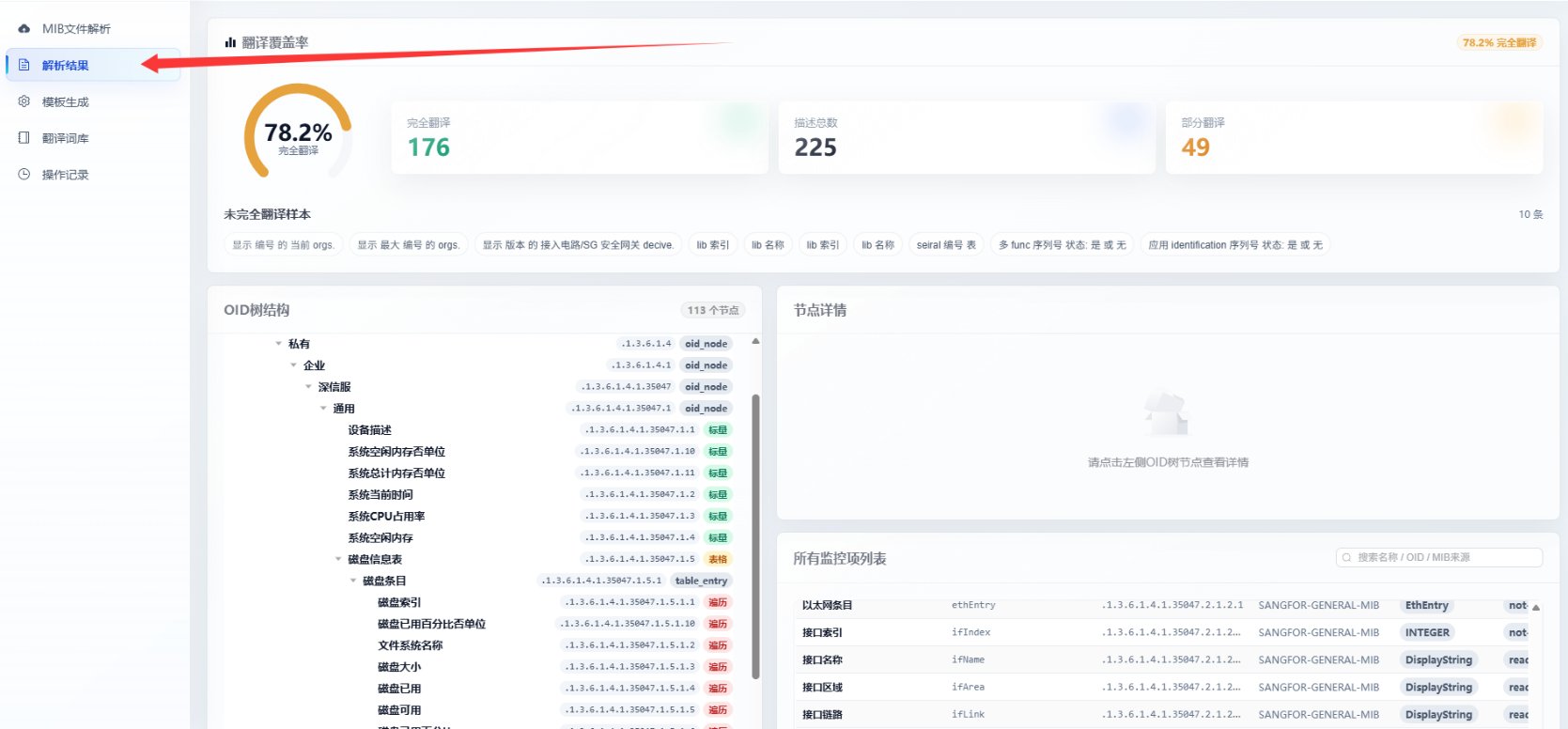
2.点击解析结果，可以使用更加直观的OID树结构查看信息，系统自动的将标准对象和表格对象给区分了出来，辅助确认需要保留的指标(OID)。

<img src="https://mintcdn.com/lerwee/4KS2wnxw-GVekVGM/images/4.png?fit=max&auto=format&n=4KS2wnxw-GVekVGM&q=85&s=c4678c782daf9472524eb828c382ff81" alt="4" width="1669" height="776" data-path="images/4.png" />

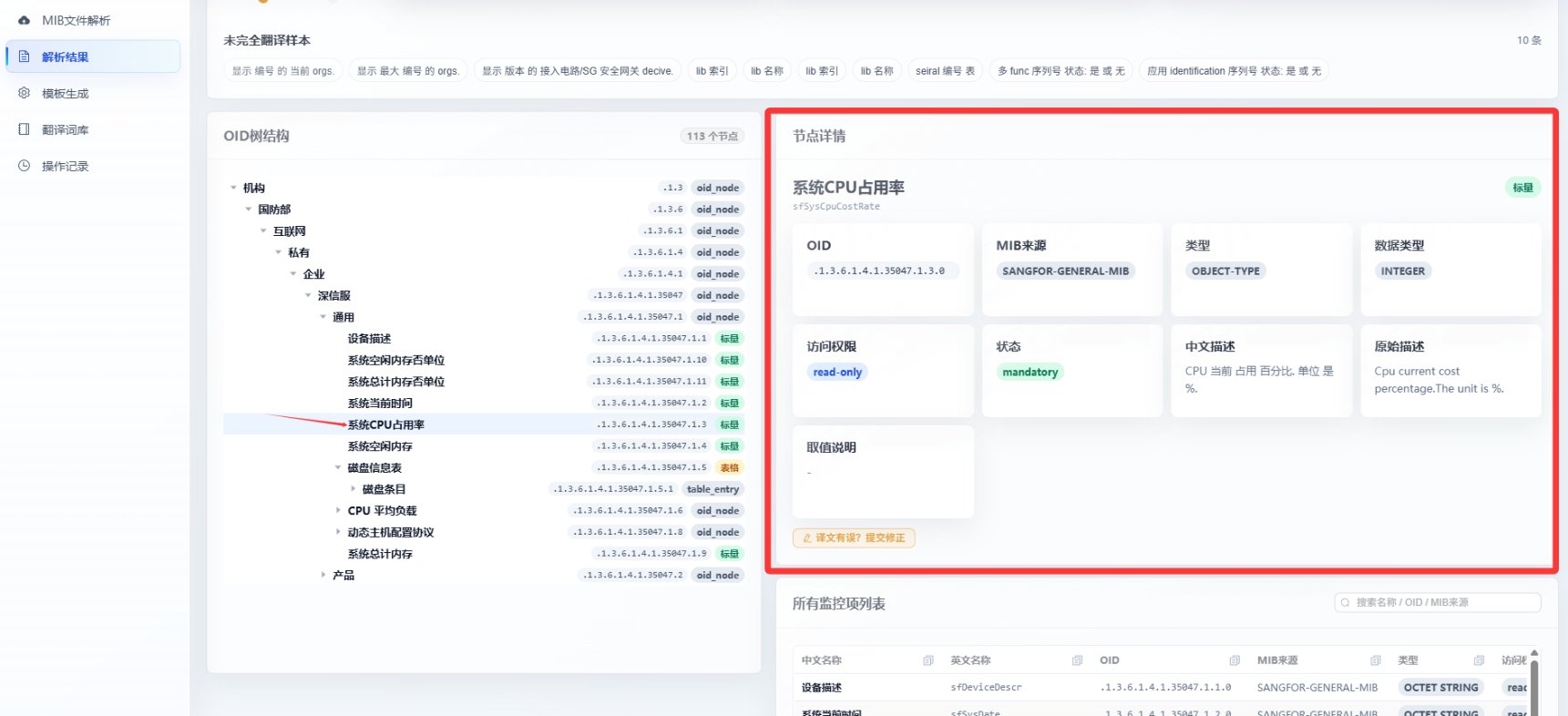
3.点击节点，可以在右侧看到节点的详细信息，如数据类型，中文描述，原始描述等。

<img src="https://mintcdn.com/lerwee/4KS2wnxw-GVekVGM/images/5.png?fit=max&auto=format&n=4KS2wnxw-GVekVGM&q=85&s=f7ff78b943803fbeda20e29a65974231" alt="5" width="1721" height="786" data-path="images/5.png" />

## 第三步：模板生成

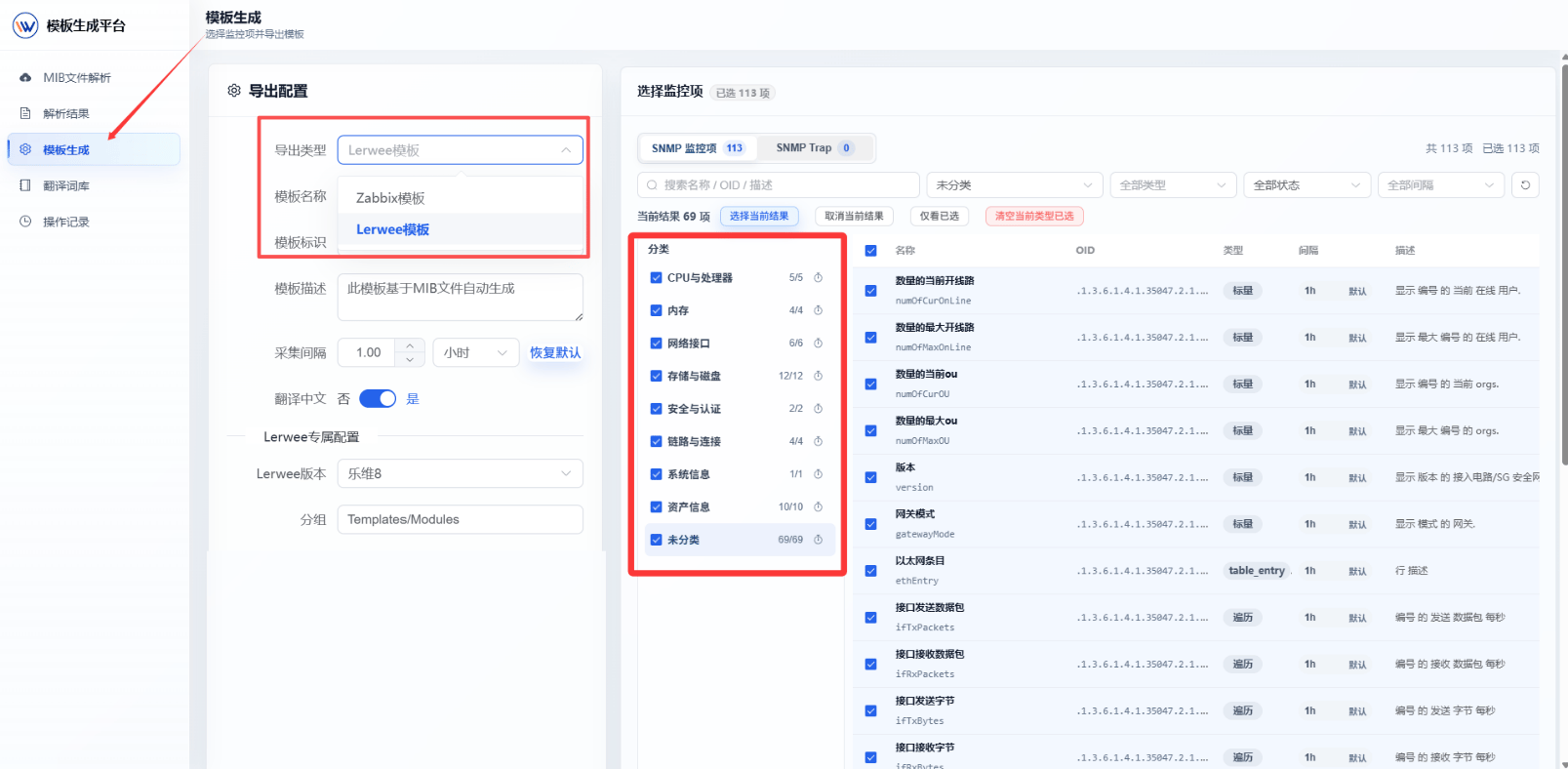
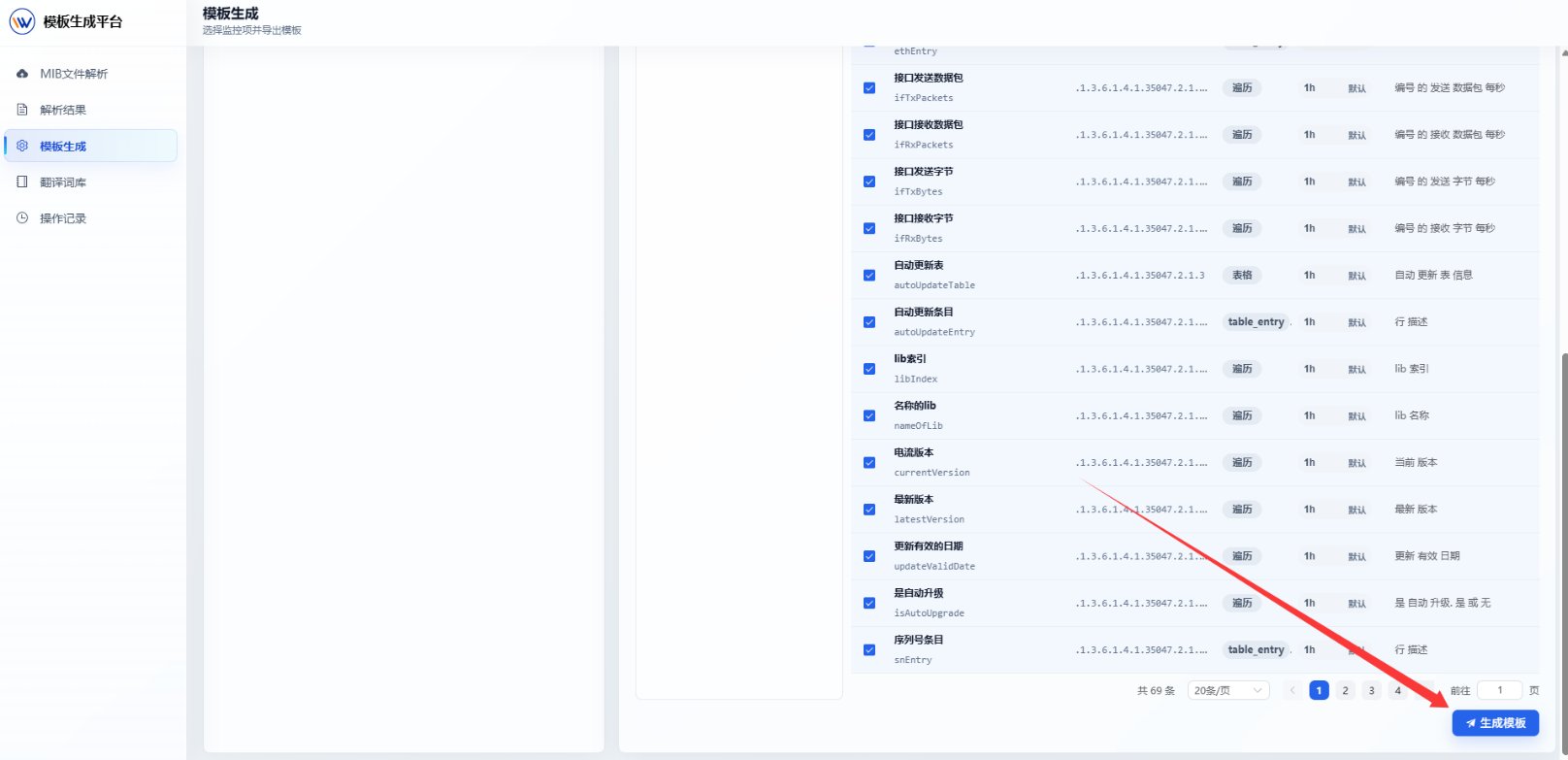
1.点击模板生成可以导出模板，可选择导出乐维或zabbix模版，选择需要的指标（OID）后点击导出模板，便可以生成一个模板文件。

<img src="https://mintcdn.com/lerwee/4KS2wnxw-GVekVGM/images/6_%E5%89%AF%E6%9C%AC.png?fit=max&auto=format&n=4KS2wnxw-GVekVGM&q=85&s=8fe4af3692c83ac8ff049697712cce0f" alt="6 副本" width="1607" height="788" data-path="images/6_副本.png" />

<img src="https://mintcdn.com/lerwee/4KS2wnxw-GVekVGM/images/7.png?fit=max&auto=format&n=4KS2wnxw-GVekVGM&q=85&s=39a34fa5c4fcbe793be7ae2f7d9bb5e2" alt="7" width="1616" height="783" data-path="images/7.png" />

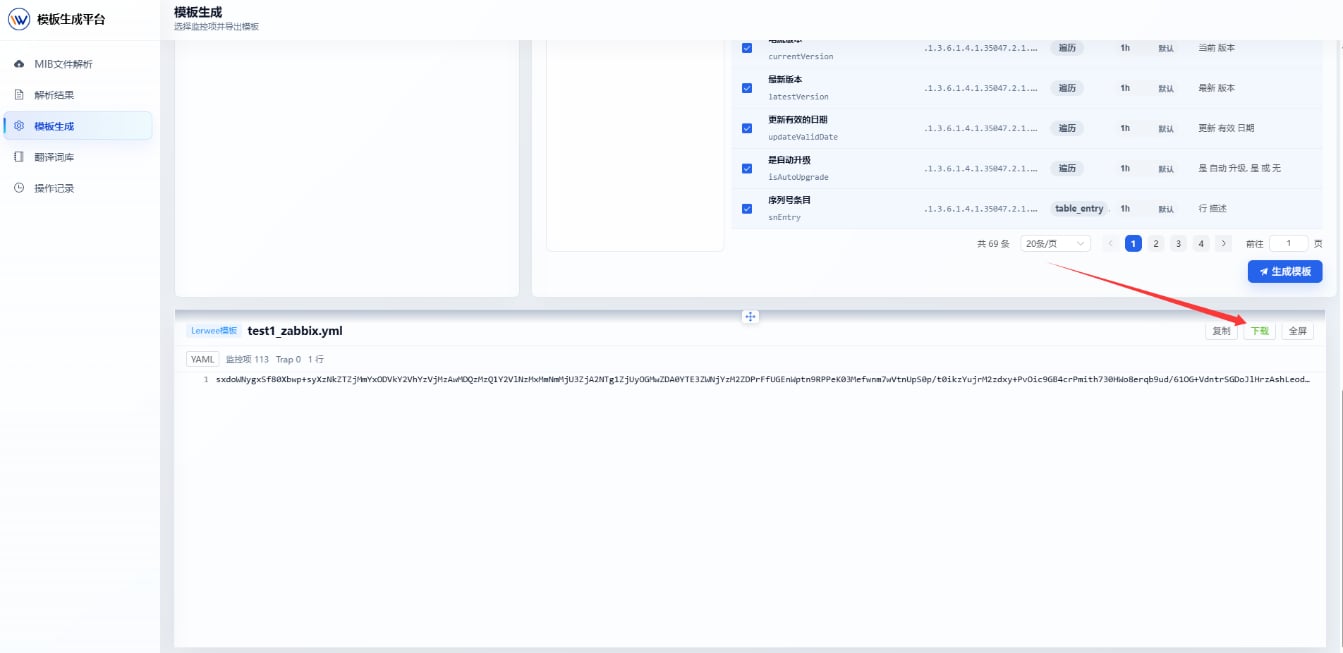
2.生成之后点击下载，将文件下载到本地。

<img src="https://mintcdn.com/lerwee/4KS2wnxw-GVekVGM/images/9.png?fit=max&auto=format&n=4KS2wnxw-GVekVGM&q=85&s=4427ef329d99aece75a2db2256583557" alt="9" width="1343" height="653" data-path="images/9.png" />