> ## Documentation Index
> Fetch the complete documentation index at: https://doc.lwops.cn/llms.txt
> Use this file to discover all available pages before exploring further.

# Cherry Studio客户端配置MCP

示例客户端版本：v1.4.5

## **支持类型**

* 可流式传输的HTTP (StreamableHttp)

http(s)://\[ip]:\[port]/lerwee/mcp/streamable

## **点击客户端【设置】**

如图1
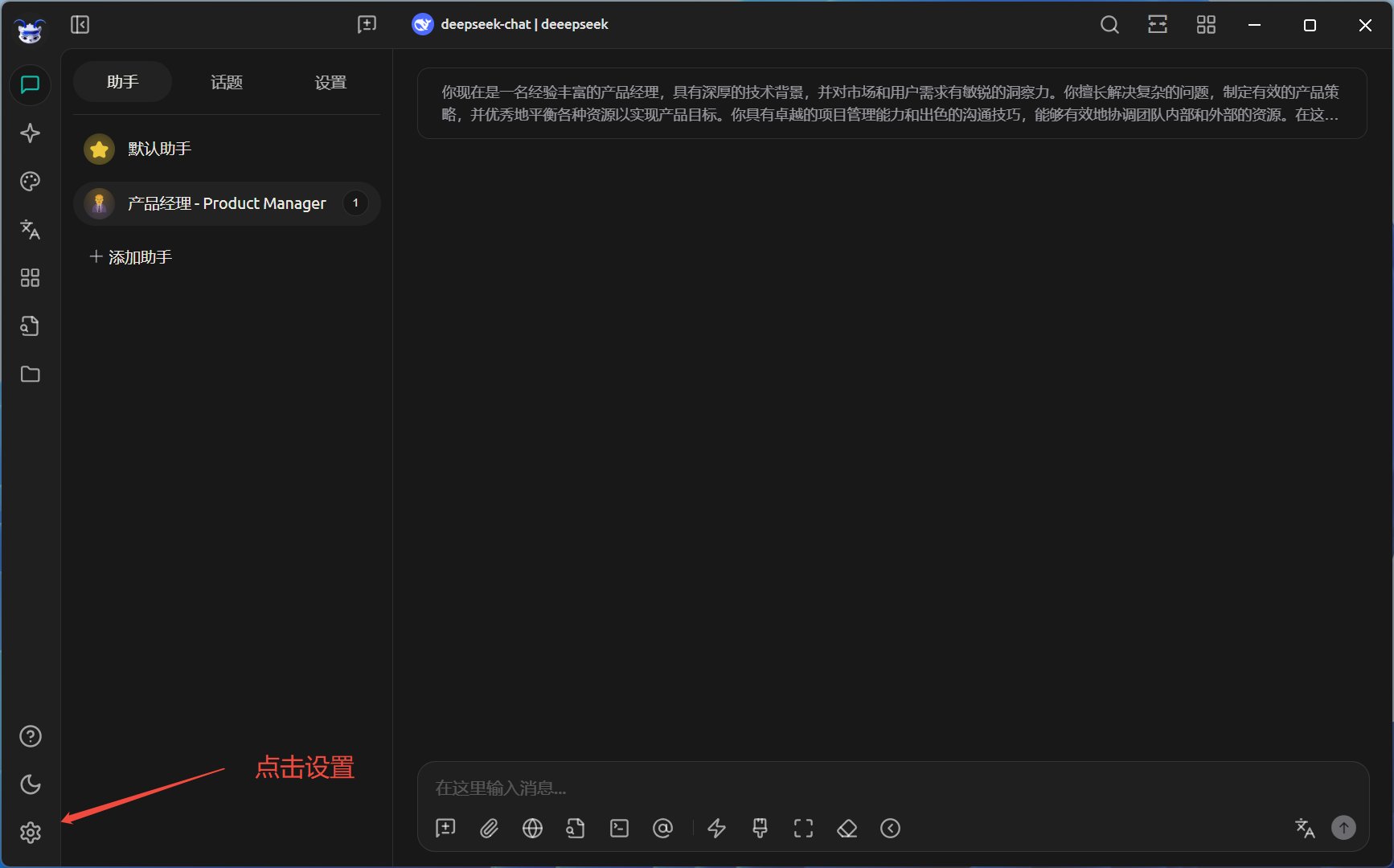
<img src="https://mintcdn.com/lerwee/xVZ-VkzsKyIK2HcB/images/MCPtu1.png?fit=max&auto=format&n=xVZ-VkzsKyIK2HcB&q=85&s=e63f00aa989df652b51a947d045e1c7e" alt="MC Ptu1" width="1734" height="1080" data-path="images/MCPtu1.png" />

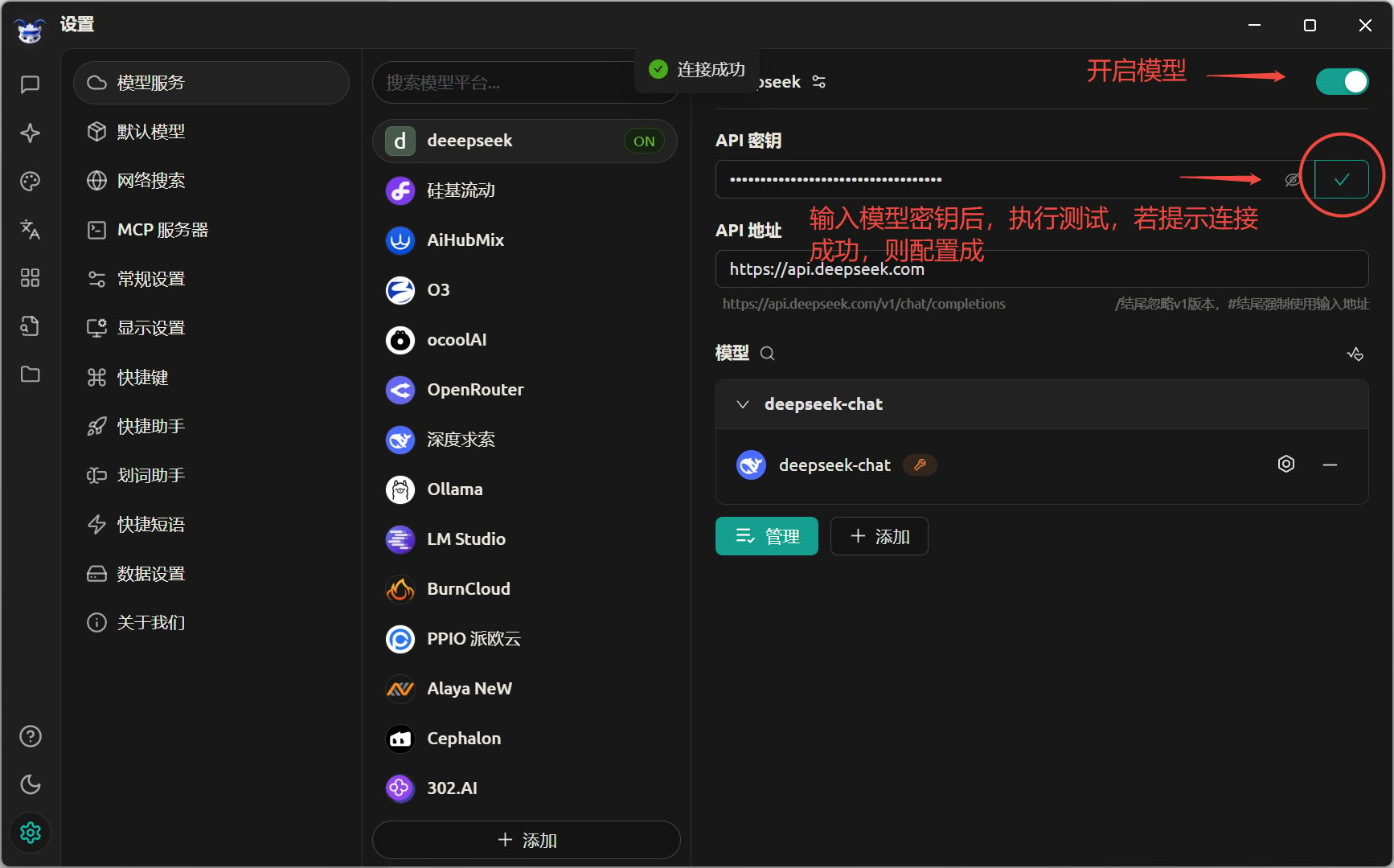
## **配置【模型服务】**

如图2

<img src="https://mintcdn.com/lerwee/xVZ-VkzsKyIK2HcB/images/MCPtu2.png?fit=max&auto=format&n=xVZ-VkzsKyIK2HcB&q=85&s=aa3afc2f3cb28bd31b6082d247a4d20a" alt="MC Ptu2" width="1734" height="1080" data-path="images/MCPtu2.png" />

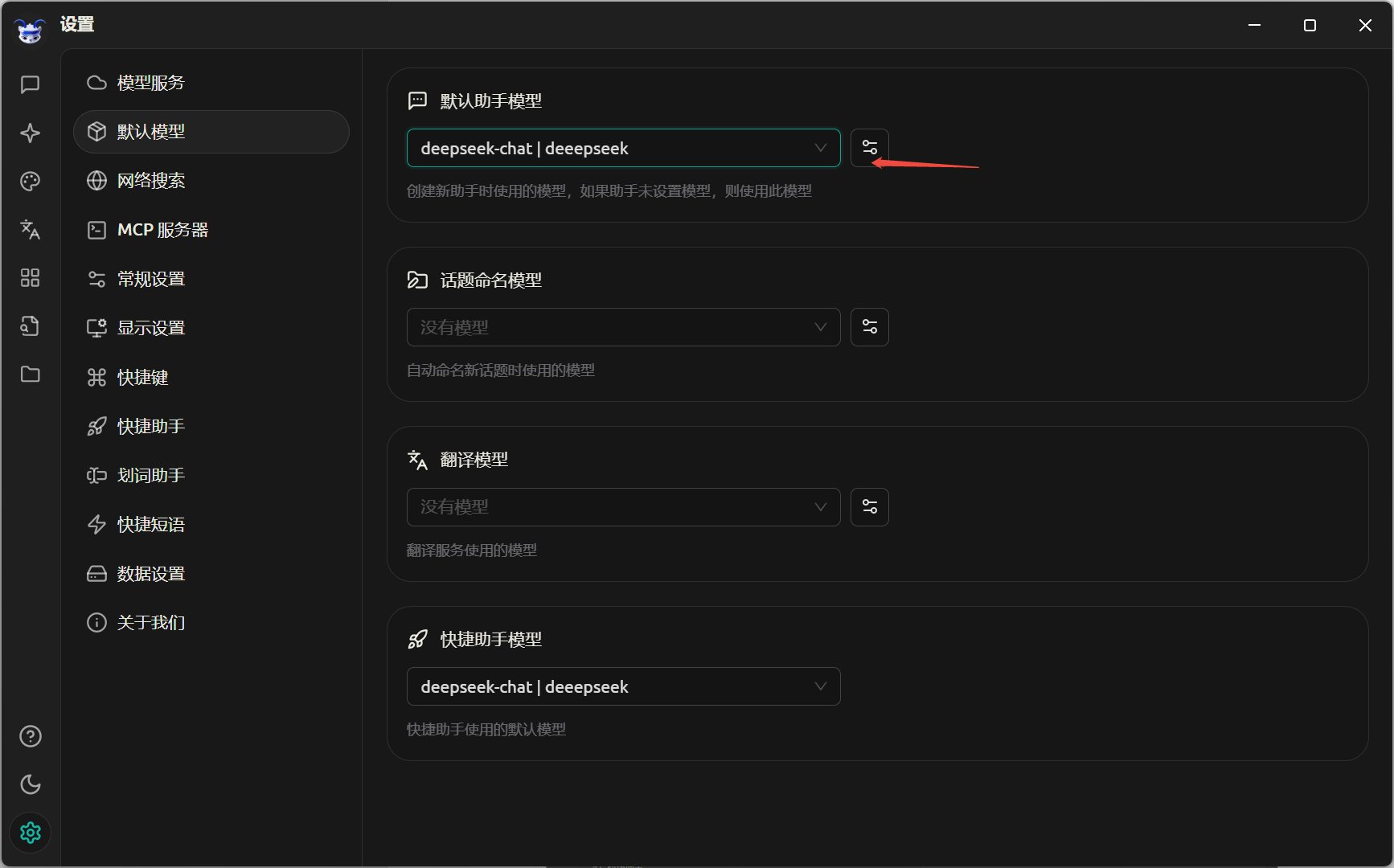
## **配置【默认模型】**

如图3

<img src="https://mintcdn.com/lerwee/xVZ-VkzsKyIK2HcB/images/mcptu3.png?fit=max&auto=format&n=xVZ-VkzsKyIK2HcB&q=85&s=fb055f5d1797409cdecbf9df7c356e12" alt="Mcptu3" width="1734" height="1080" data-path="images/mcptu3.png" />

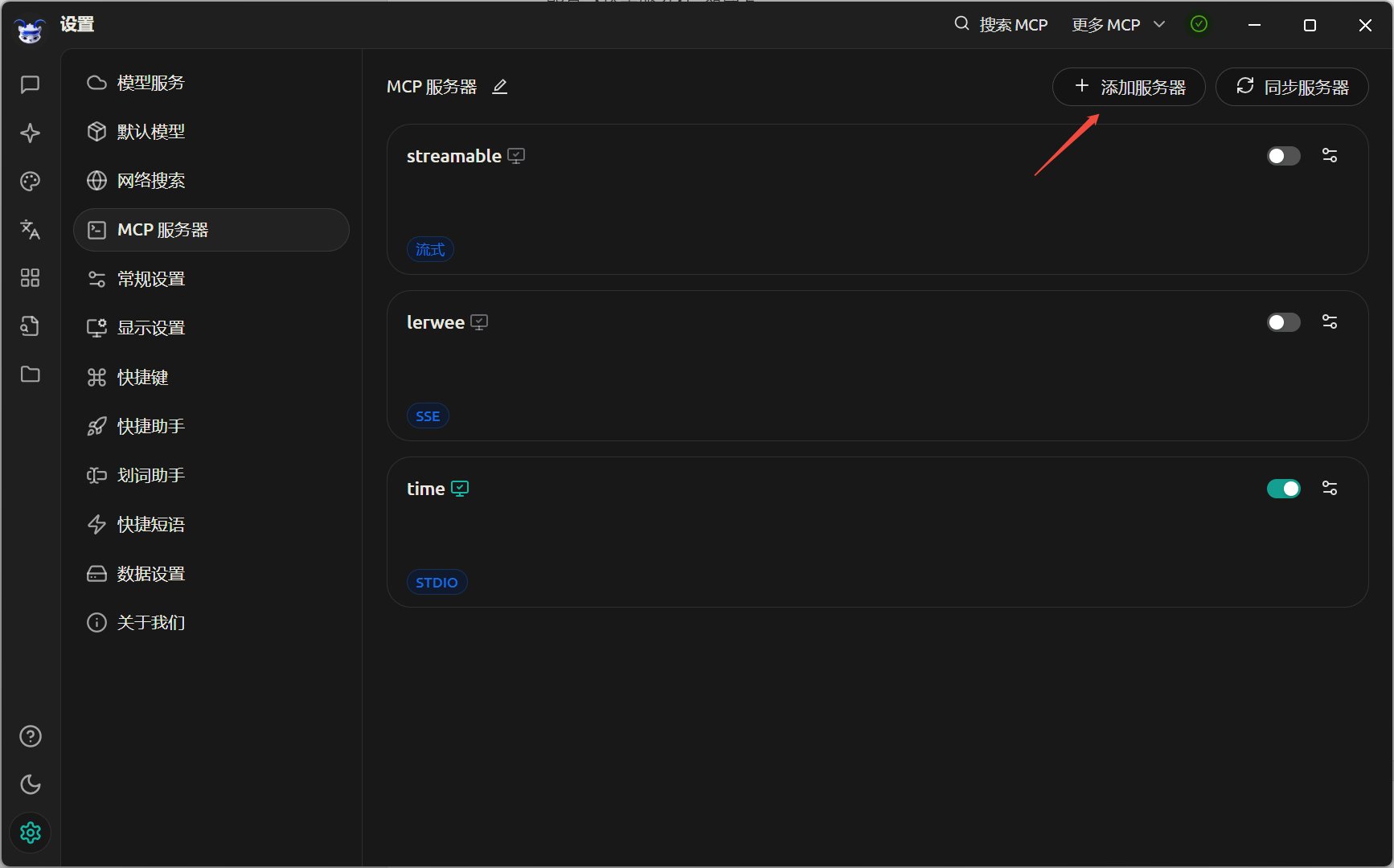
## **配置【MCP服务器】**

如图4

<img src="https://mintcdn.com/lerwee/xVZ-VkzsKyIK2HcB/images/mcptu4.png?fit=max&auto=format&n=xVZ-VkzsKyIK2HcB&q=85&s=0881e586f4f98ba2ead4555c41484163" alt="Mcptu4" width="1734" height="1080" data-path="images/mcptu4.png" />

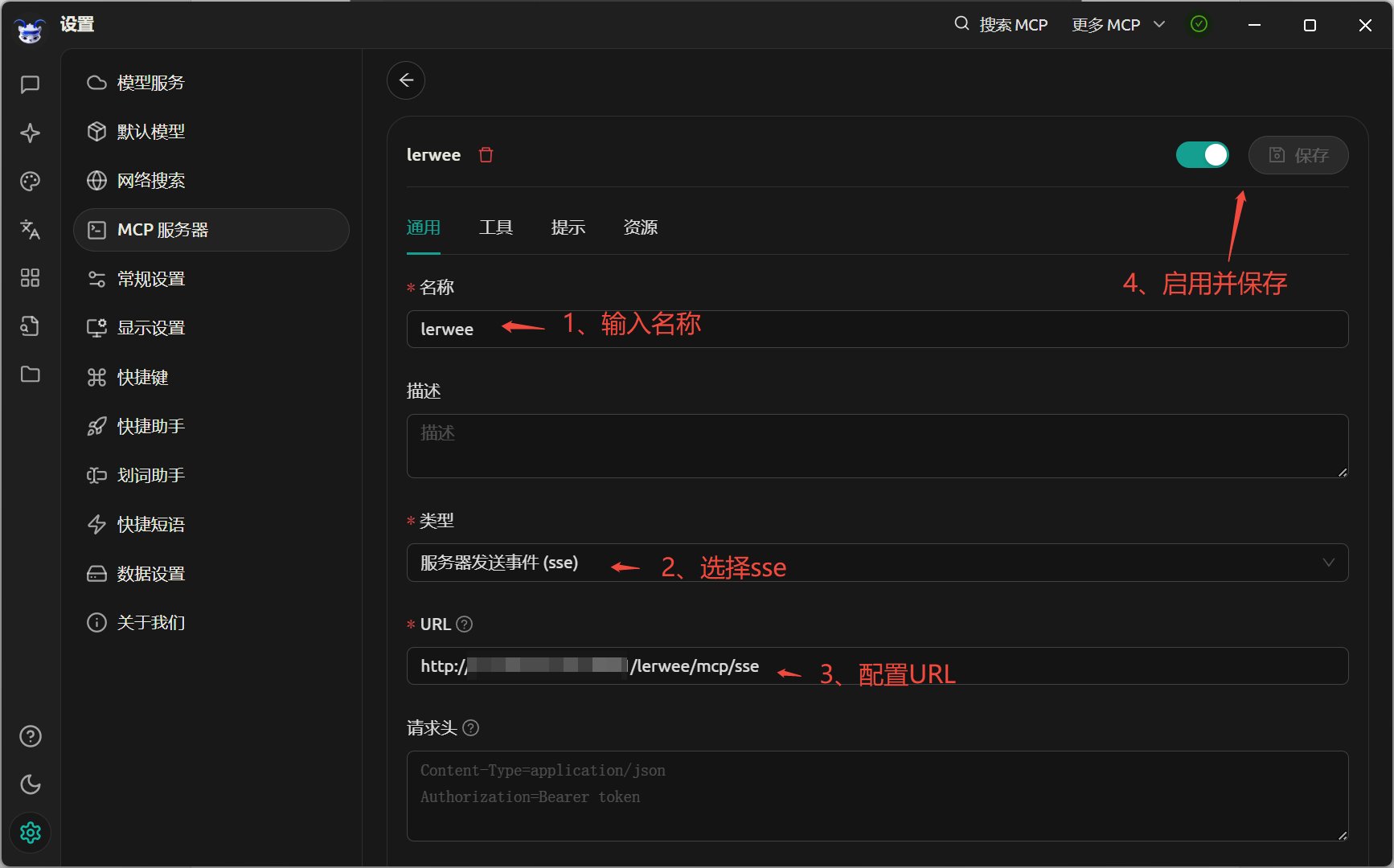
以SSE配置为例，如图5

<img src="https://mintcdn.com/lerwee/xVZ-VkzsKyIK2HcB/images/mcptu5.png?fit=max&auto=format&n=xVZ-VkzsKyIK2HcB&q=85&s=f332fb022a60ccfa0502e62465a315cf" alt="Mcptu5" width="1734" height="1080" data-path="images/mcptu5.png" />

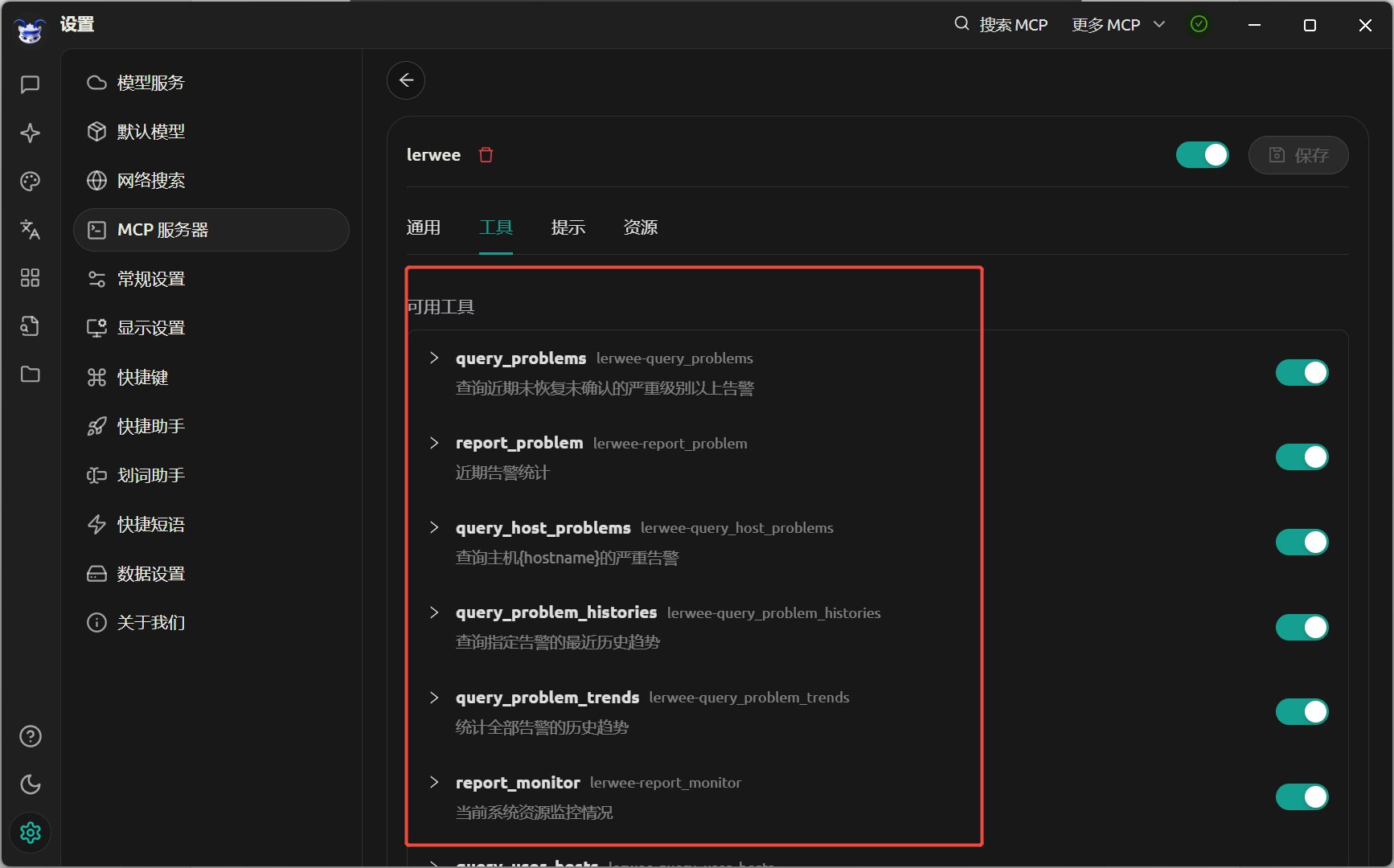
成功配置后，可查看当前sse服务所支持的工具，如图6

<img src="https://mintcdn.com/lerwee/xVZ-VkzsKyIK2HcB/images/MCPtu6.png?fit=max&auto=format&n=xVZ-VkzsKyIK2HcB&q=85&s=d14142a68850653010c96ba67d1f9b84" alt="MC Ptu6" width="1734" height="1080" data-path="images/MCPtu6.png" />

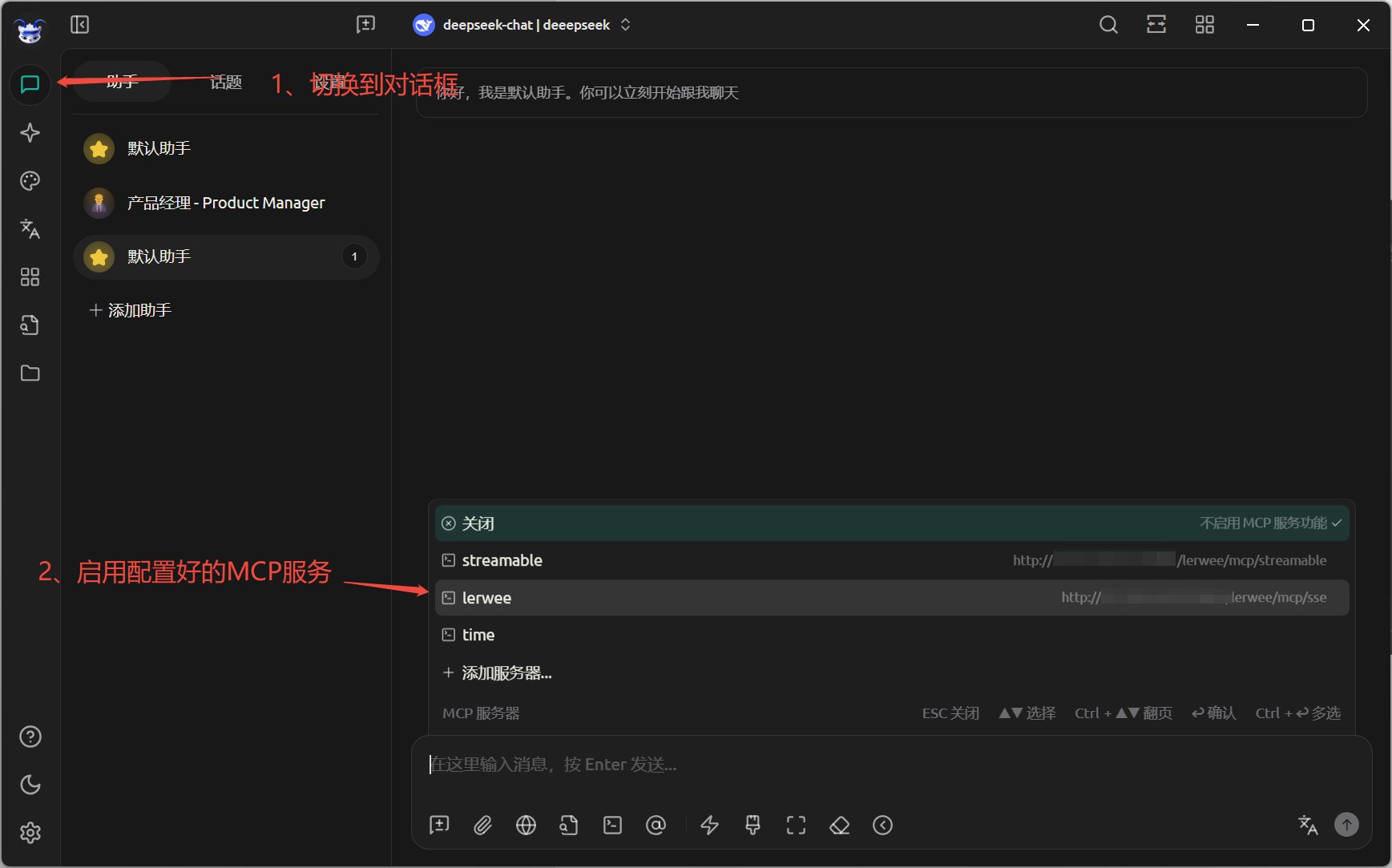
使用操作

<img src="https://mintcdn.com/lerwee/xVZ-VkzsKyIK2HcB/images/mapshiyongcaozuo.png?fit=max&auto=format&n=xVZ-VkzsKyIK2HcB&q=85&s=a2a79b711f8e21ec86802b1e7c30b4cb" alt="Mapshiyongcaozuo" width="1737" height="1083" data-path="images/mapshiyongcaozuo.png" />

## **使用示例**

### **示例一**

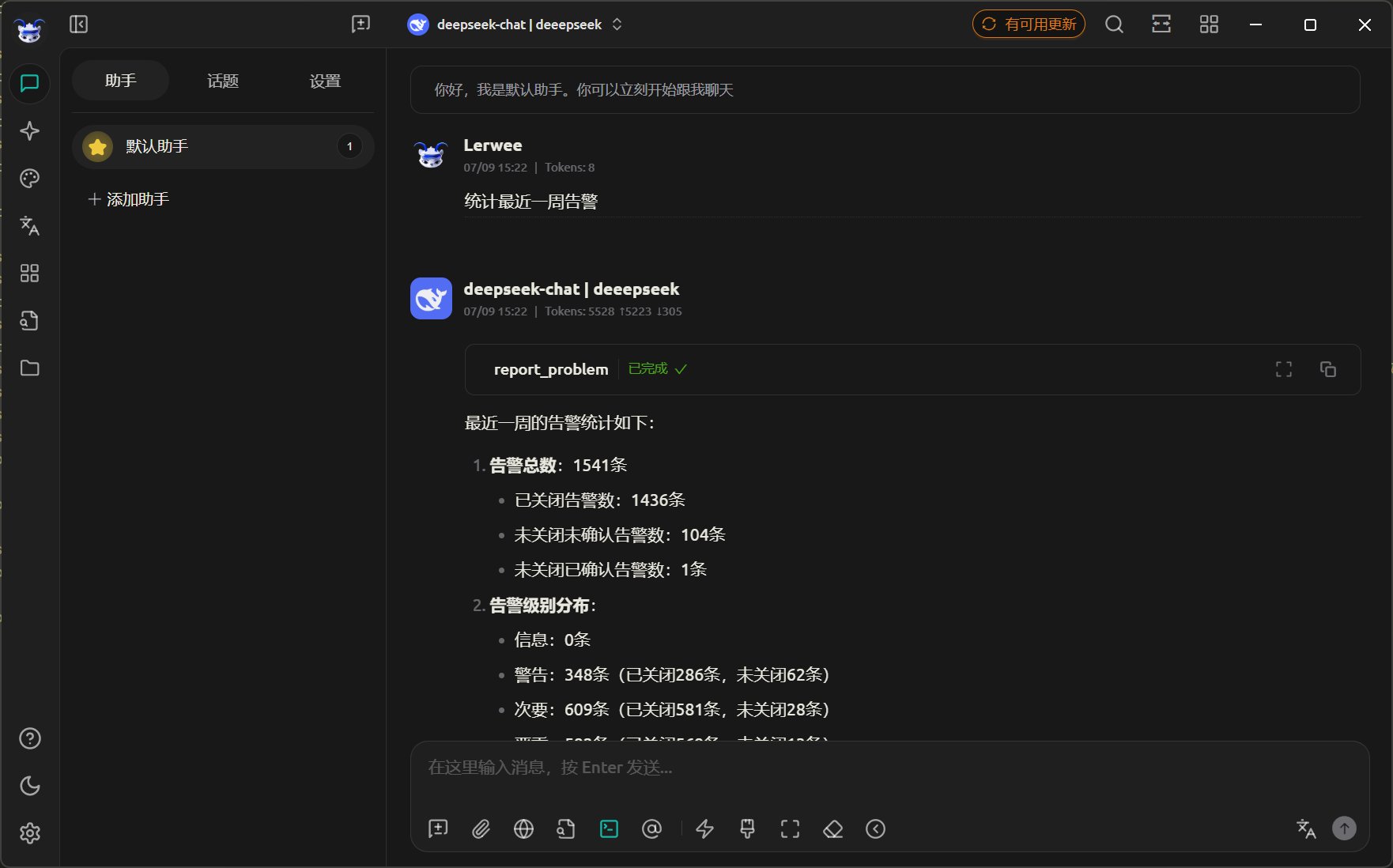
在对话框输入：统计最近一周告警

<img src="https://mintcdn.com/lerwee/xVZ-VkzsKyIK2HcB/images/mcpshili1.png?fit=max&auto=format&n=xVZ-VkzsKyIK2HcB&q=85&s=83e0b201a9ba2fc02bd5842043e97f22" alt="Mcpshili1" width="1762" height="1098" data-path="images/mcpshili1.png" />

### **示例二**

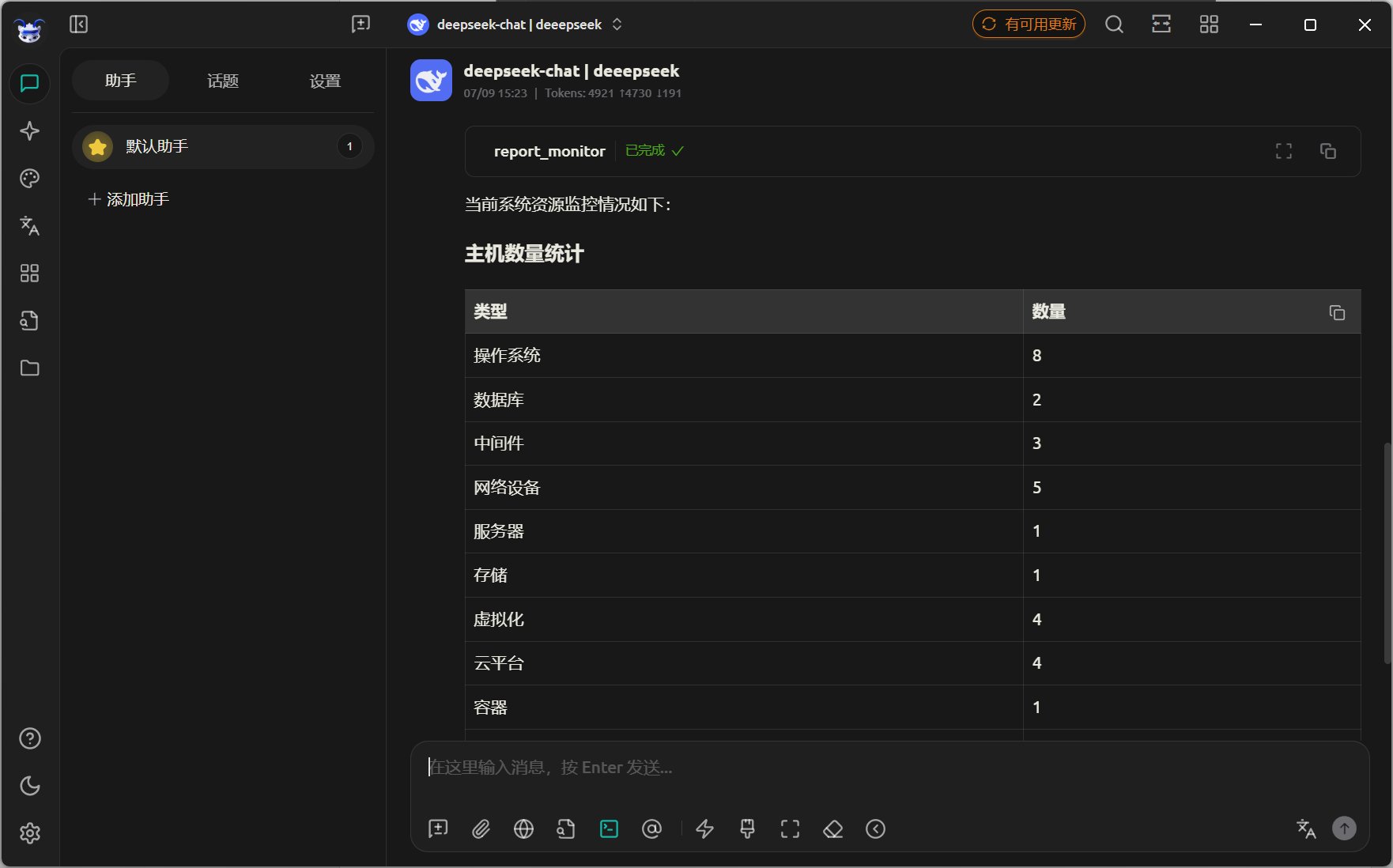
在对话框输入：统计当前系统资源情况

<img src="https://mintcdn.com/lerwee/xVZ-VkzsKyIK2HcB/images/mcpshili2.png?fit=max&auto=format&n=xVZ-VkzsKyIK2HcB&q=85&s=e38bc4c24f9bcf6498af274dd04337b5" alt="Mcpshili2" width="1762" height="1098" data-path="images/mcpshili2.png" />


This documentation is built and hosted on [Mintlify](https://mintlify.com), a developer documentation platform.