> ## Documentation Index
> Fetch the complete documentation index at: https://doc.lwops.cn/llms.txt
> Use this file to discover all available pages before exploring further.

# 脚本管理

<Tip>
  操作视频：[脚本管理](https://forum.lwops.cn/videos?video_id=45\&page=1)
</Tip>

## 1. **前提**

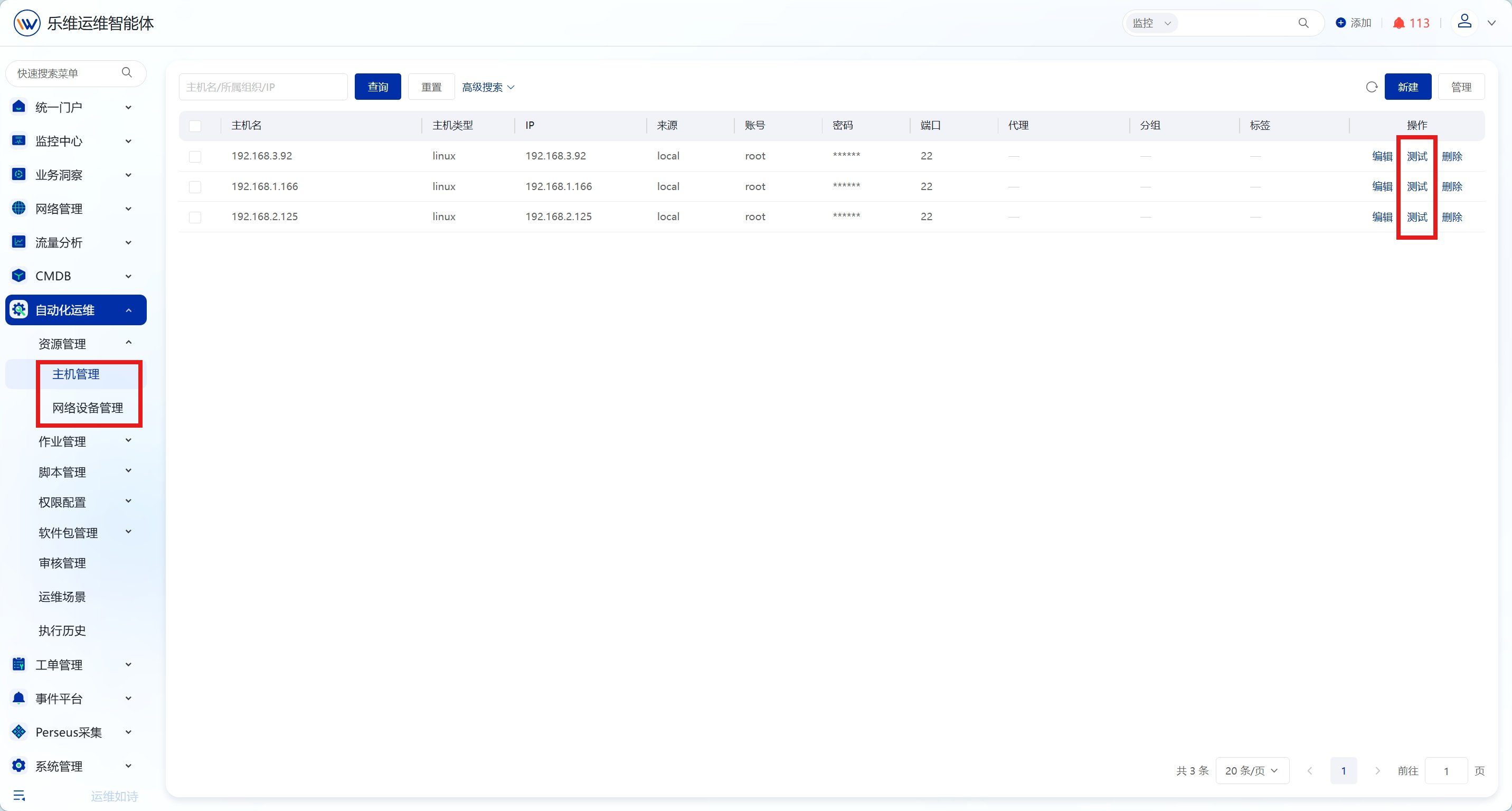
在配置脚本时，需要先在【资源管理】添加主机或者网络设备，并成功通过测试

<img src="https://mintcdn.com/lerwee/Xm4nAznWHmFsY_cF/images/sop-20260914/automation-scripts-sop/automation-scripts-sop-01-20260914.png?fit=max&auto=format&n=Xm4nAznWHmFsY_cF&q=85&s=c39af66455fc5784b46e8f27762ab4ef" alt="脚本管理 操作截图 1" width="2864" height="1536" data-path="images/sop-20260914/automation-scripts-sop/automation-scripts-sop-01-20260914.png" />

## 2. **快速脚本**

### **2.1. 概述**

支持 Shell、Python 等类型脚本即时编写，可借助 AI 助手辅助生成脚本，选定目标主机后即可直接执行并查看输出结果，脚本可保存至脚本库；实现脚本快速执行，提升运维操作便捷性。

### **2.2. 操作步骤**

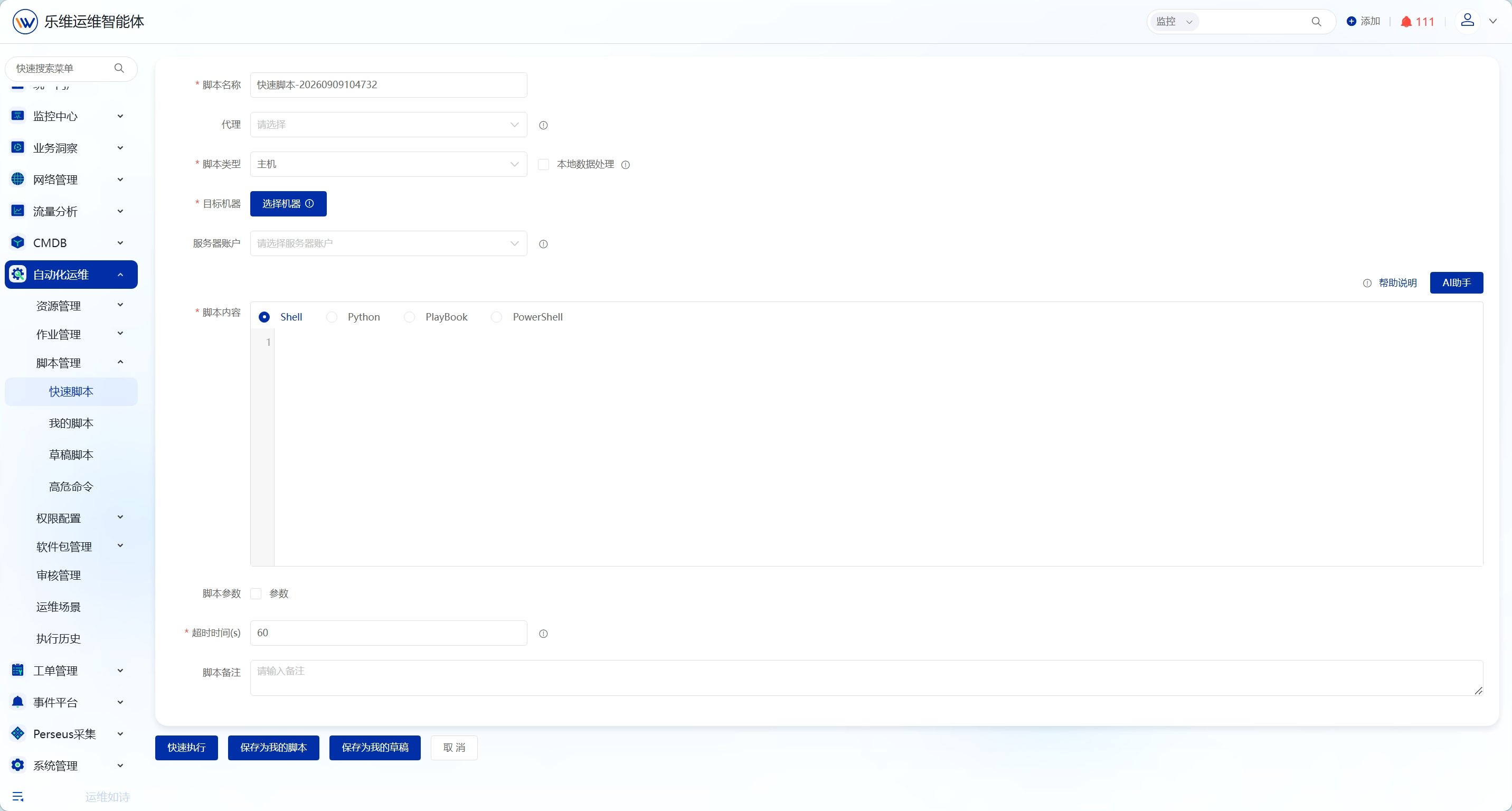
点击【自动化运维】-【脚本管理】-【快速脚本】，进入快速脚本页面。

<img src="https://mintcdn.com/lerwee/Xm4nAznWHmFsY_cF/images/sop-20260914/automation-scripts-sop/automation-scripts-sop-02-20260914.png?fit=max&auto=format&n=Xm4nAznWHmFsY_cF&q=85&s=a470dddc484286092467afea90b96f5c" alt="脚本管理 操作截图 2" width="2864" height="1536" data-path="images/sop-20260914/automation-scripts-sop/automation-scripts-sop-02-20260914.png" />

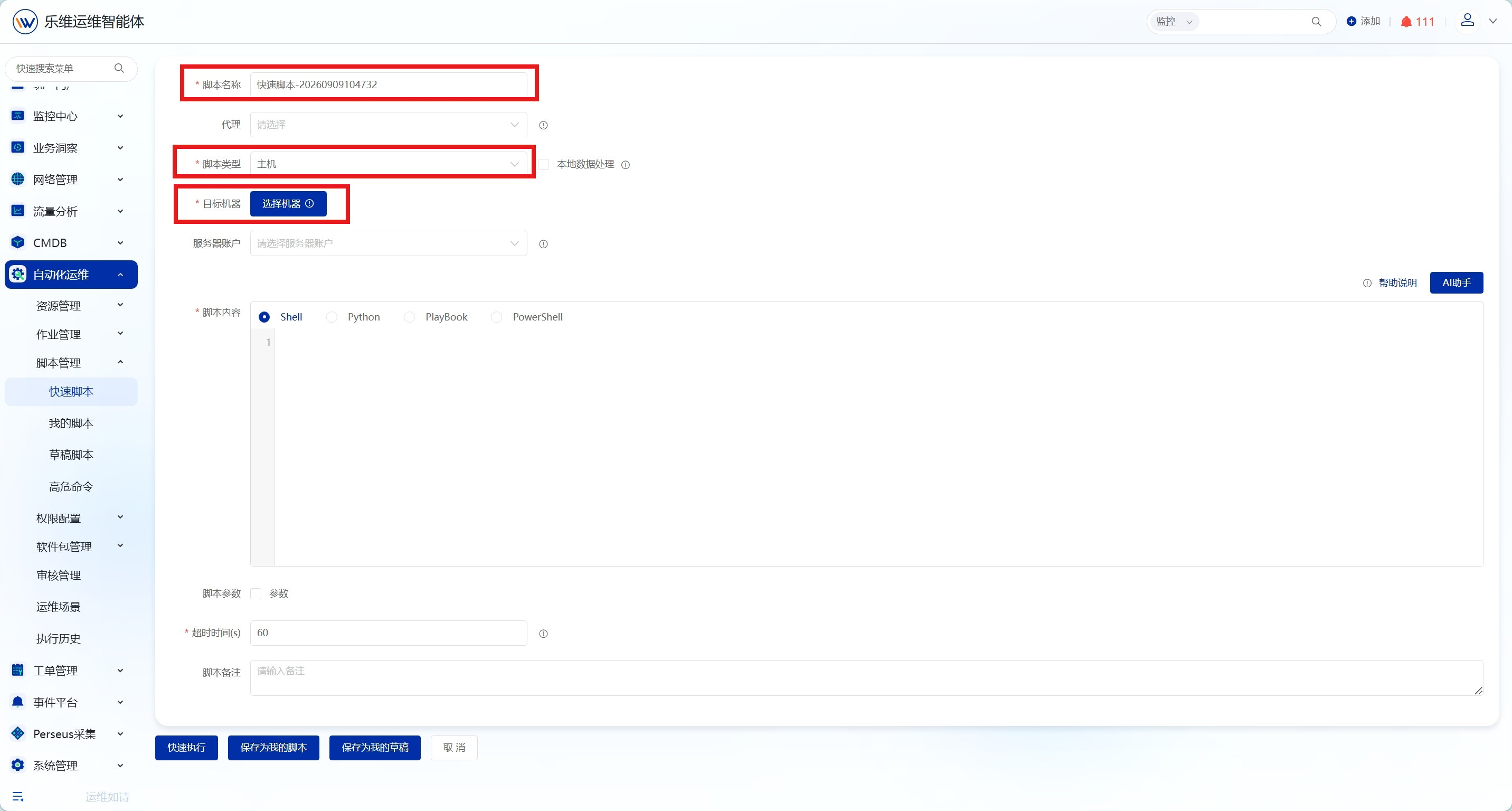
填写必填信息，脚本类型支持主机和网络设备类型，选择需要执行脚本的机器。

<img src="https://mintcdn.com/lerwee/Xm4nAznWHmFsY_cF/images/sop-20260914/automation-scripts-sop/automation-scripts-sop-03-20260914.png?fit=max&auto=format&n=Xm4nAznWHmFsY_cF&q=85&s=da0cbd9bd0548f70b73247390b6ad084" alt="脚本管理 操作截图 3" width="2864" height="1536" data-path="images/sop-20260914/automation-scripts-sop/automation-scripts-sop-03-20260914.png" />

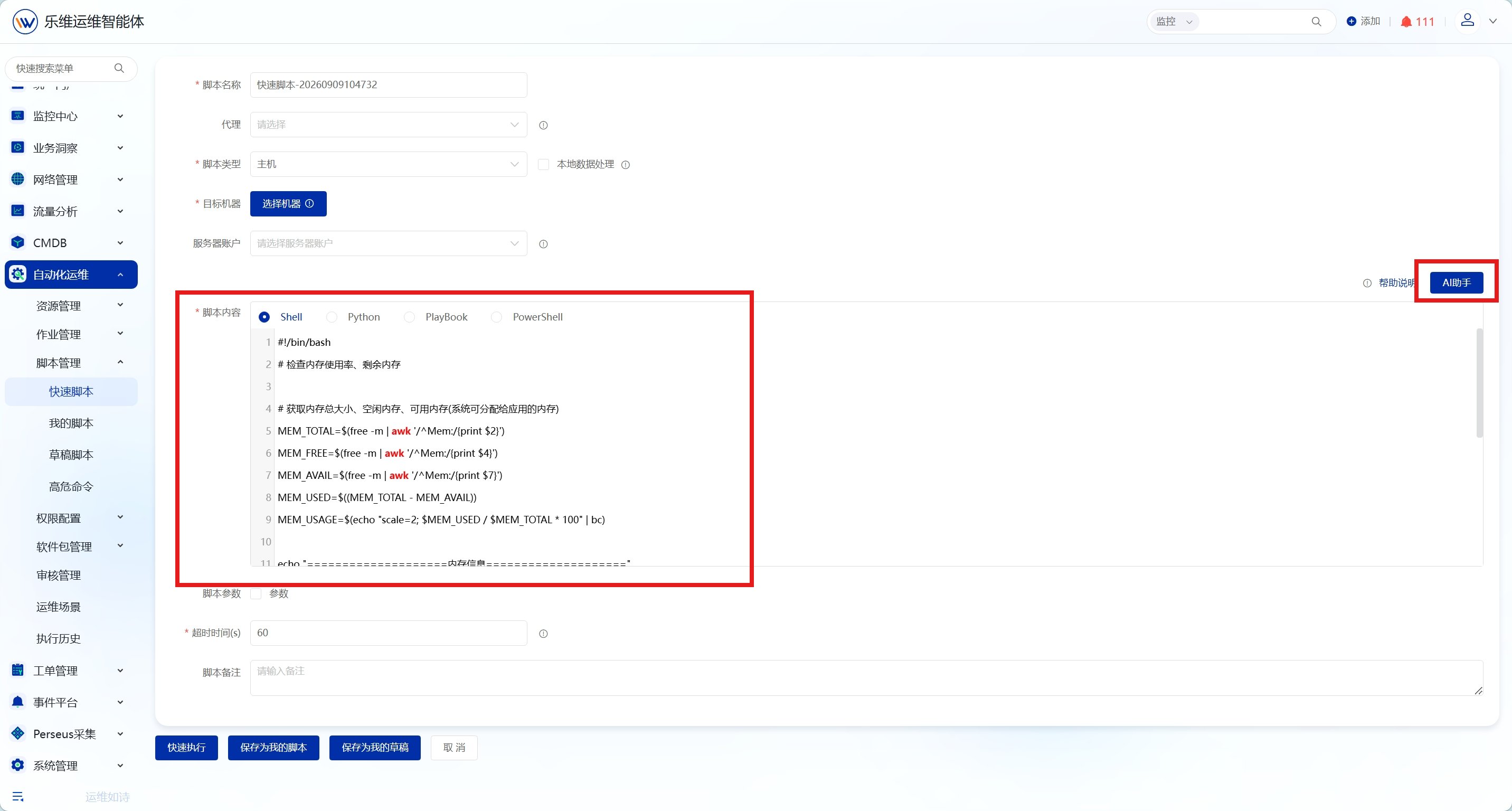
在编辑器中编写Shell、Python等脚本，或使用AI助手生成脚本。

<img src="https://mintcdn.com/lerwee/Xm4nAznWHmFsY_cF/images/sop-20260914/automation-scripts-sop/automation-scripts-sop-04-20260914.png?fit=max&auto=format&n=Xm4nAznWHmFsY_cF&q=85&s=51604b0d8cc5ba9131836d26984422b0" alt="脚本管理 操作截图 4" width="2864" height="1536" data-path="images/sop-20260914/automation-scripts-sop/automation-scripts-sop-04-20260914.png" />

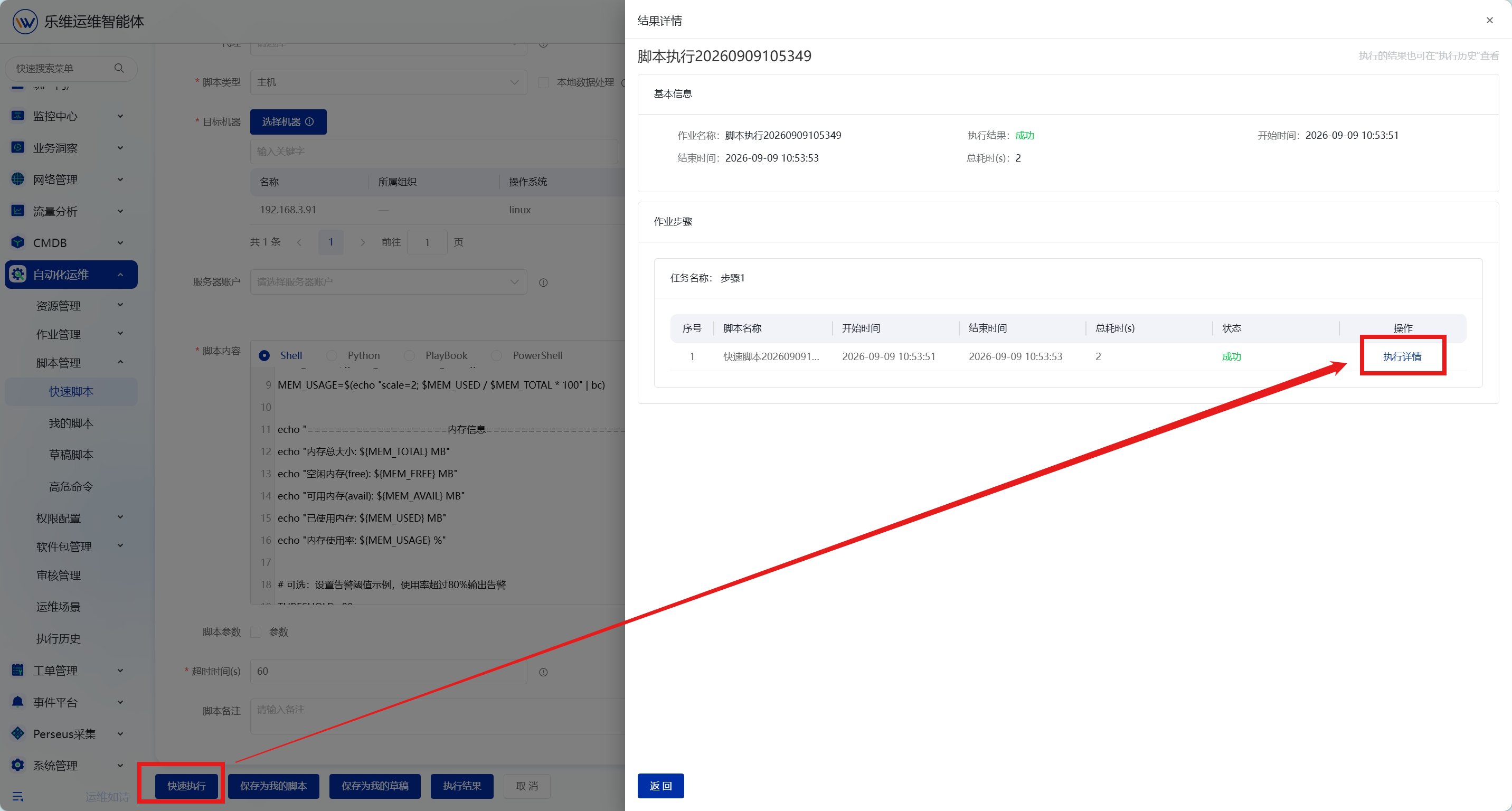
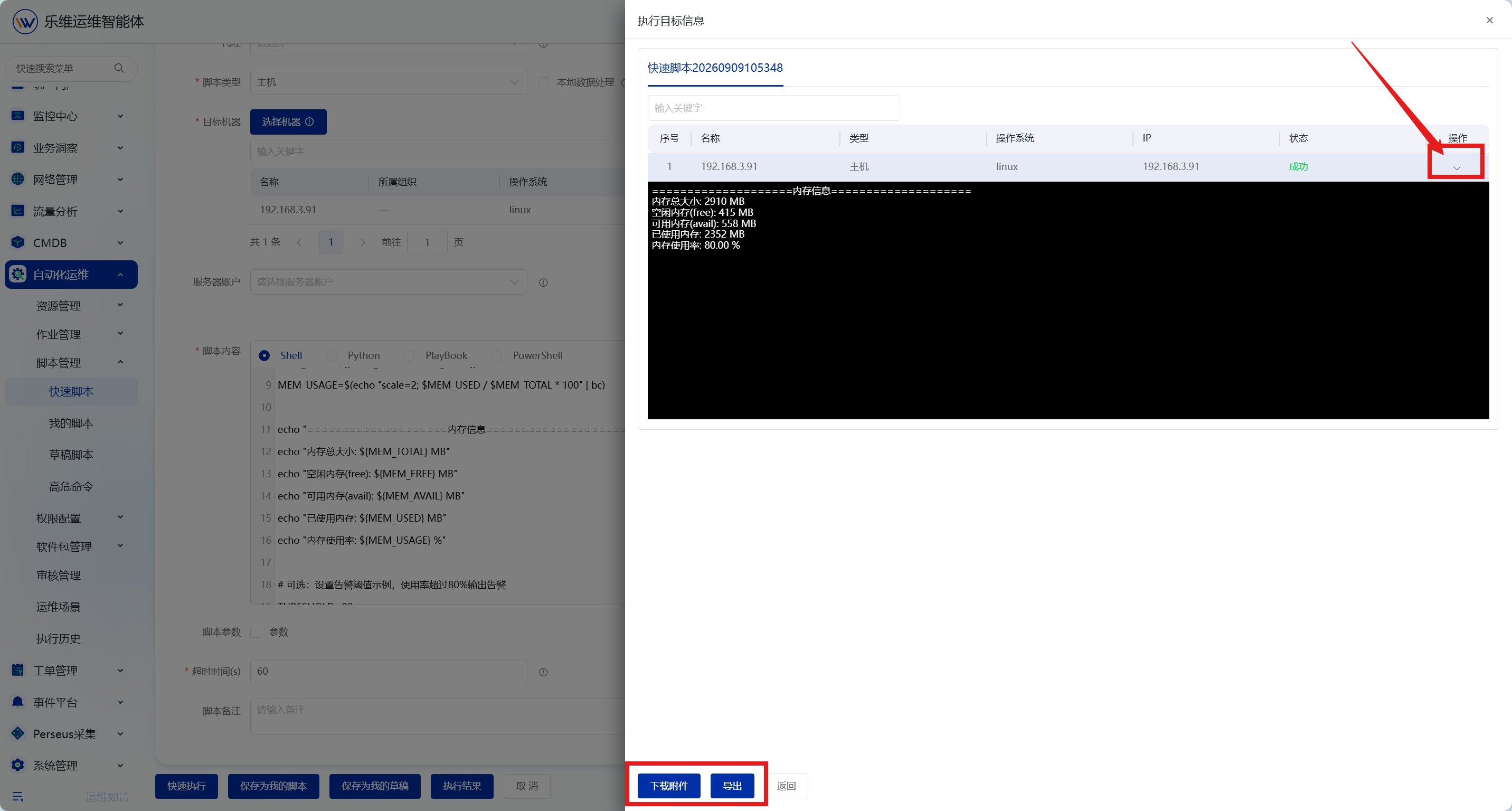
点击快速执行，等待脚本执行完成后，查看执行结果和详情。支持导出结果和下载附件

<img src="https://mintcdn.com/lerwee/Xm4nAznWHmFsY_cF/images/sop-20260914/automation-scripts-sop/automation-scripts-sop-05-20260914.png?fit=max&auto=format&n=Xm4nAznWHmFsY_cF&q=85&s=69f52323f77330f46d959f0a9500aaa5" alt="脚本管理 操作截图 5" width="2864" height="1536" data-path="images/sop-20260914/automation-scripts-sop/automation-scripts-sop-05-20260914.png" />

<img src="https://mintcdn.com/lerwee/Xm4nAznWHmFsY_cF/images/sop-20260914/automation-scripts-sop/automation-scripts-sop-06-20260914.png?fit=max&auto=format&n=Xm4nAznWHmFsY_cF&q=85&s=b4db842d008e3f7f413d33a7ccee10a2" alt="脚本管理 操作截图 6" width="2864" height="1536" data-path="images/sop-20260914/automation-scripts-sop/automation-scripts-sop-06-20260914.png" />

可点击"保存为我的脚本"将脚本保存到脚本库

## 3. **我的脚本**

### **3.1. 概述**

支持 Shell、Python、PlayBook、PowerShell 多类型脚本的编辑维护，统一收纳管理运维脚本库，提供执行、编辑、克隆等能力，保障脚本安全性，提升个人工作效率。

### **3.2. 操作步骤**

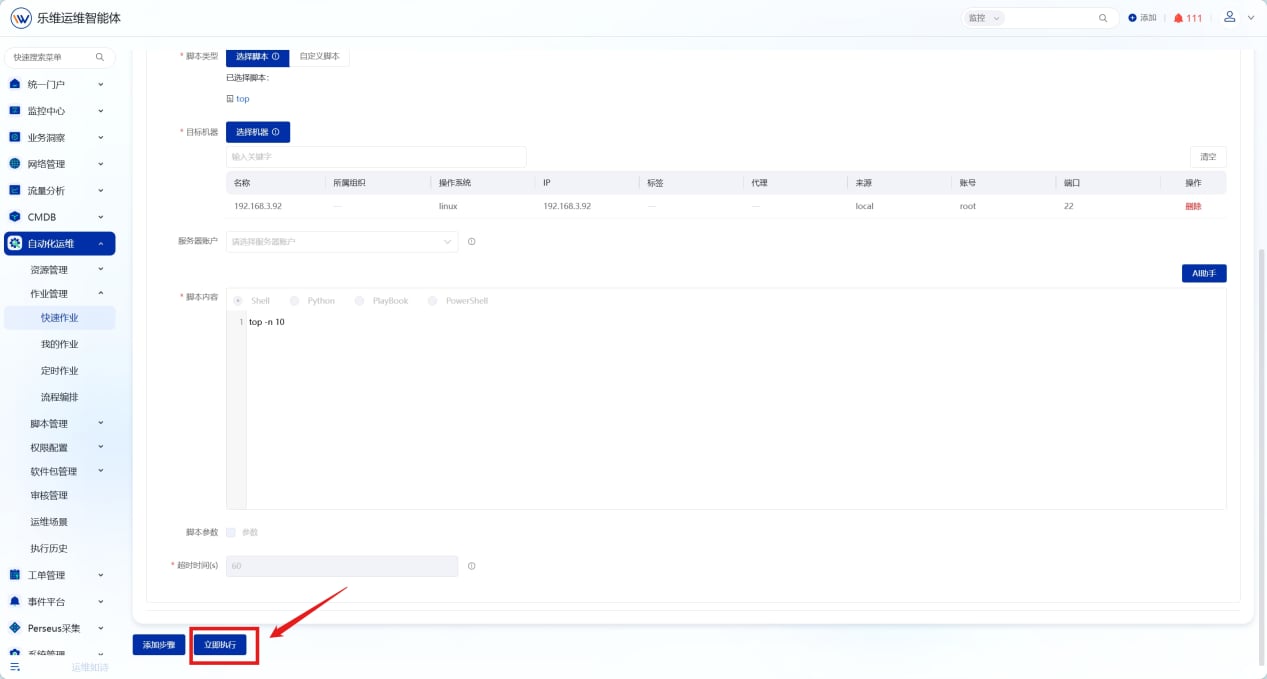
点击【自动化运维】-【脚本管理】-【我的脚本】，进入我的脚本列表页面。

<img src="https://mintcdn.com/lerwee/Xm4nAznWHmFsY_cF/images/sop-20260914/automation-scripts-sop/automation-scripts-sop-07-20260914.png?fit=max&auto=format&n=Xm4nAznWHmFsY_cF&q=85&s=f16d39ac7364d39f9e19a6cf49f17737" alt="脚本管理 操作截图 7" width="1267" height="679" data-path="images/sop-20260914/automation-scripts-sop/automation-scripts-sop-07-20260914.png" />

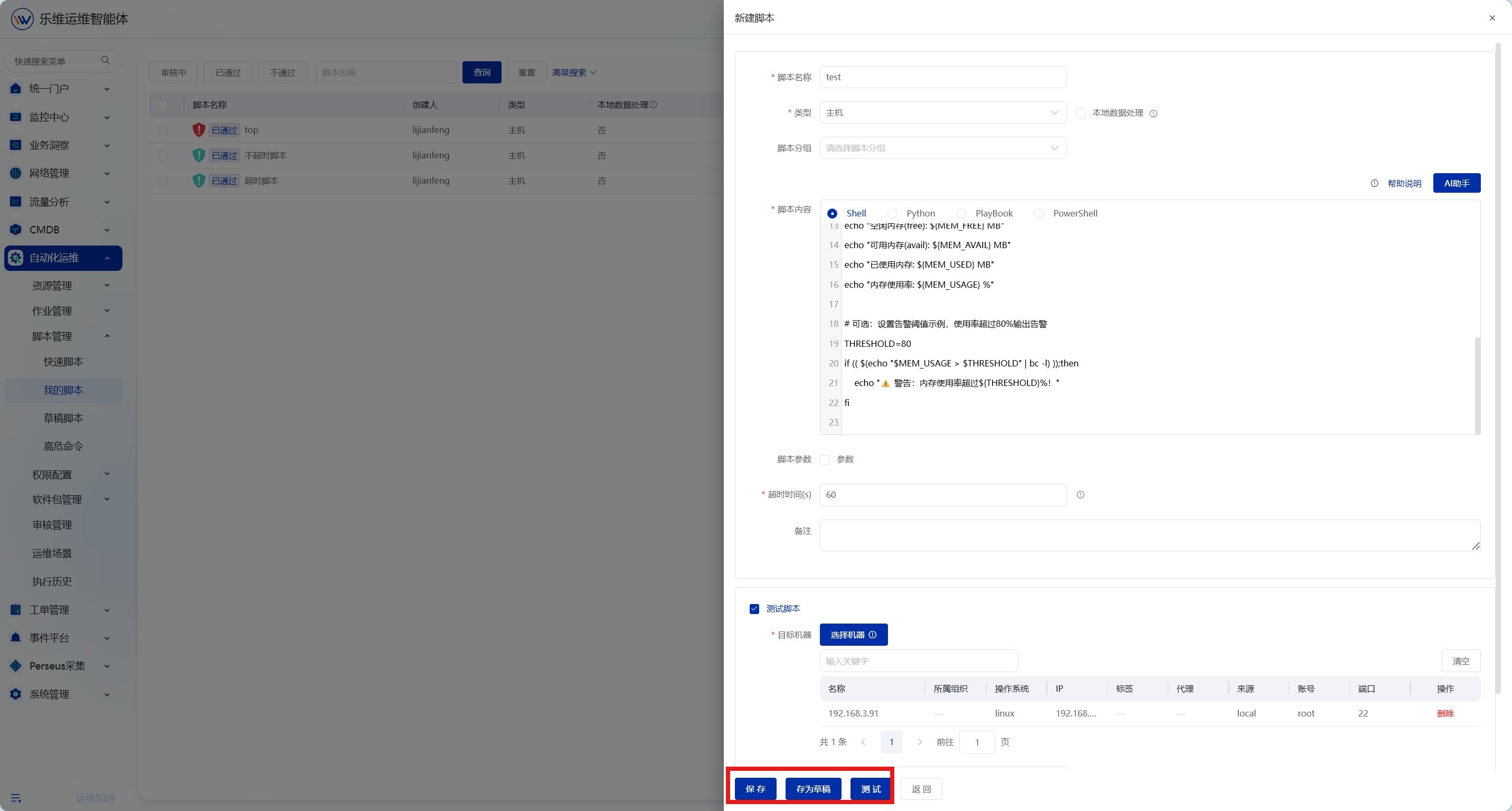
点击"新建"按钮创建新脚本，填写脚本名称内容等信息，支持测试脚本、存为草稿或保存脚本

<img src="https://mintcdn.com/lerwee/Xm4nAznWHmFsY_cF/images/sop-20260914/automation-scripts-sop/automation-scripts-sop-08-20260914.png?fit=max&auto=format&n=Xm4nAznWHmFsY_cF&q=85&s=9136fd09365a23ecddf185bf8857189d" alt="脚本管理 操作截图 8" width="2864" height="1536" data-path="images/sop-20260914/automation-scripts-sop/automation-scripts-sop-08-20260914.png" />

## **4. 高危命令**

### **4.1. 概述**

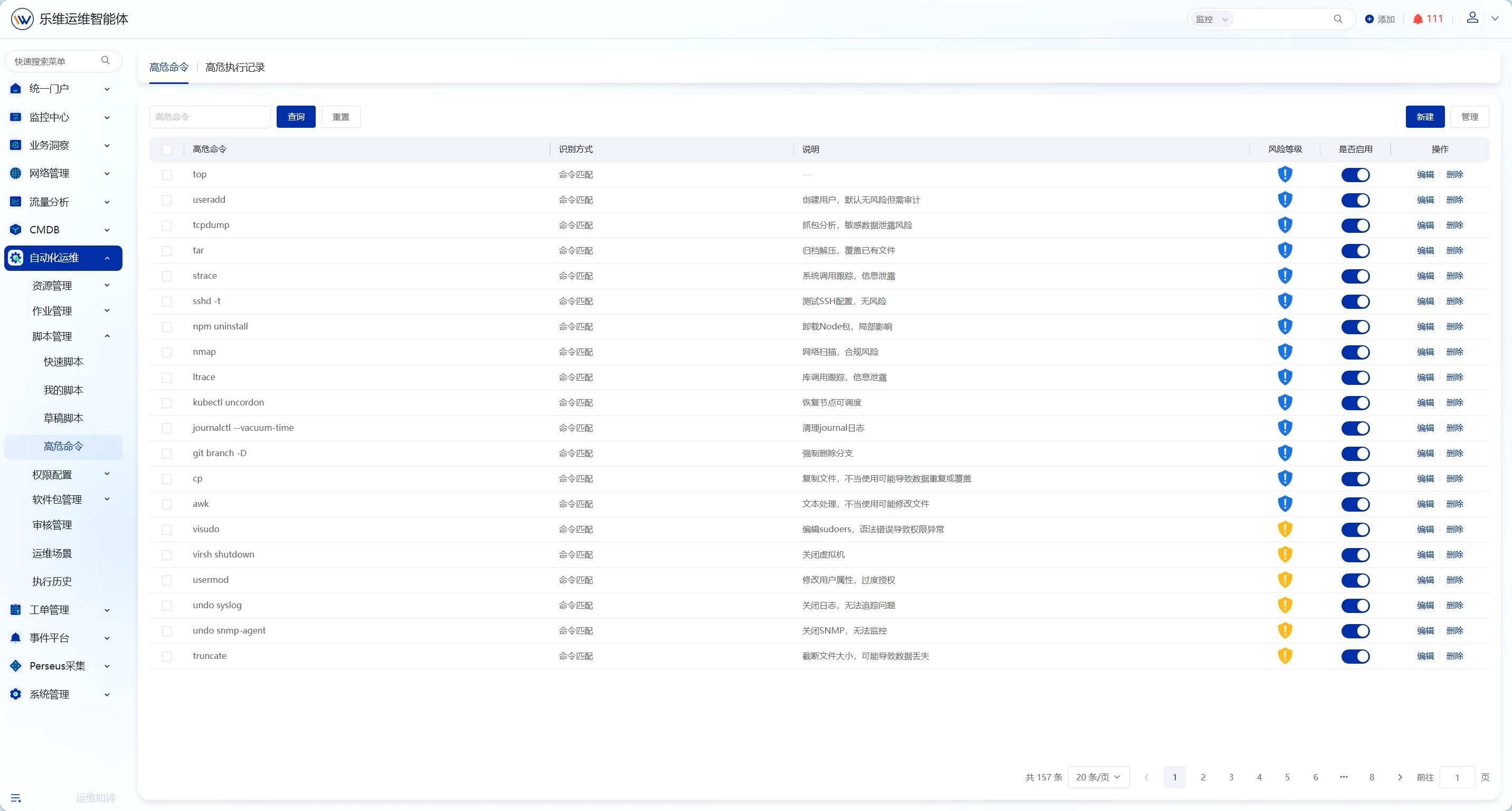
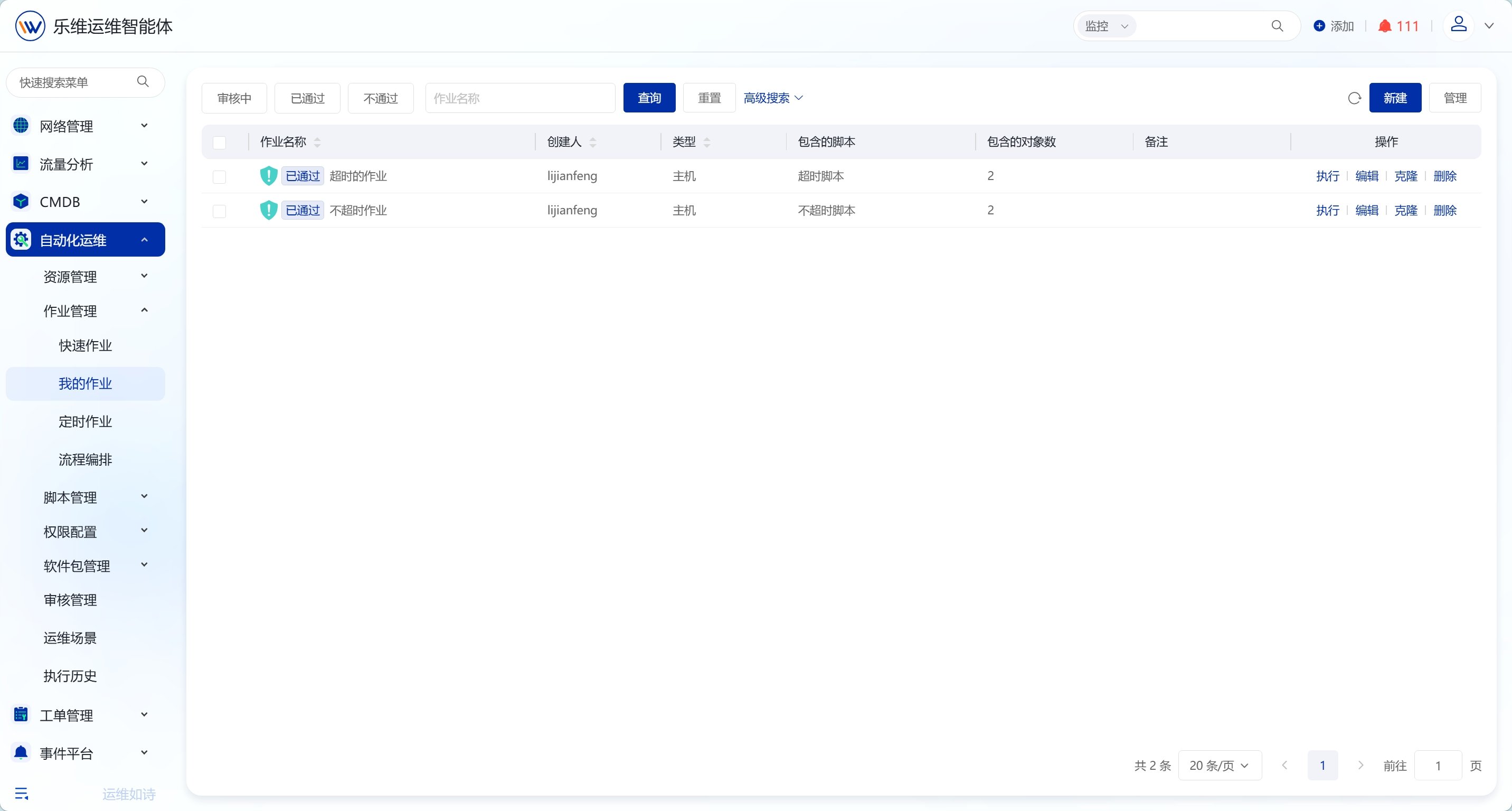
高危命令功能提供识别高危风险指令的能力，通过配置高危命令规则，开启高位命令后在脚本执行时自动识别并拦截高风险操作，保障系统安全。需要审核通过后才能执行。

### **4.2. 操作步骤**

点击【自动化运维】-【脚本管理】-【高危命令】，进入高危命令规则页面。

<img src="https://mintcdn.com/lerwee/Xm4nAznWHmFsY_cF/images/sop-20260914/automation-scripts-sop/automation-scripts-sop-09-20260914.png?fit=max&auto=format&n=Xm4nAznWHmFsY_cF&q=85&s=e212cff2972f6f9da227fc3ab4883501" alt="脚本管理 操作截图 9" width="2864" height="1536" data-path="images/sop-20260914/automation-scripts-sop/automation-scripts-sop-09-20260914.png" />

点击"新建"按钮添加高危命令规则，设置识别方式（正则/关键字）和风险等级。

<img src="https://mintcdn.com/lerwee/Xm4nAznWHmFsY_cF/images/sop-20260914/automation-scripts-sop/automation-scripts-sop-10-20260914.png?fit=max&auto=format&n=Xm4nAznWHmFsY_cF&q=85&s=b8daf2d42c2158849119be9a0bbb9ef2" alt="脚本管理 操作截图 10" width="2864" height="1536" data-path="images/sop-20260914/automation-scripts-sop/automation-scripts-sop-10-20260914.png" />

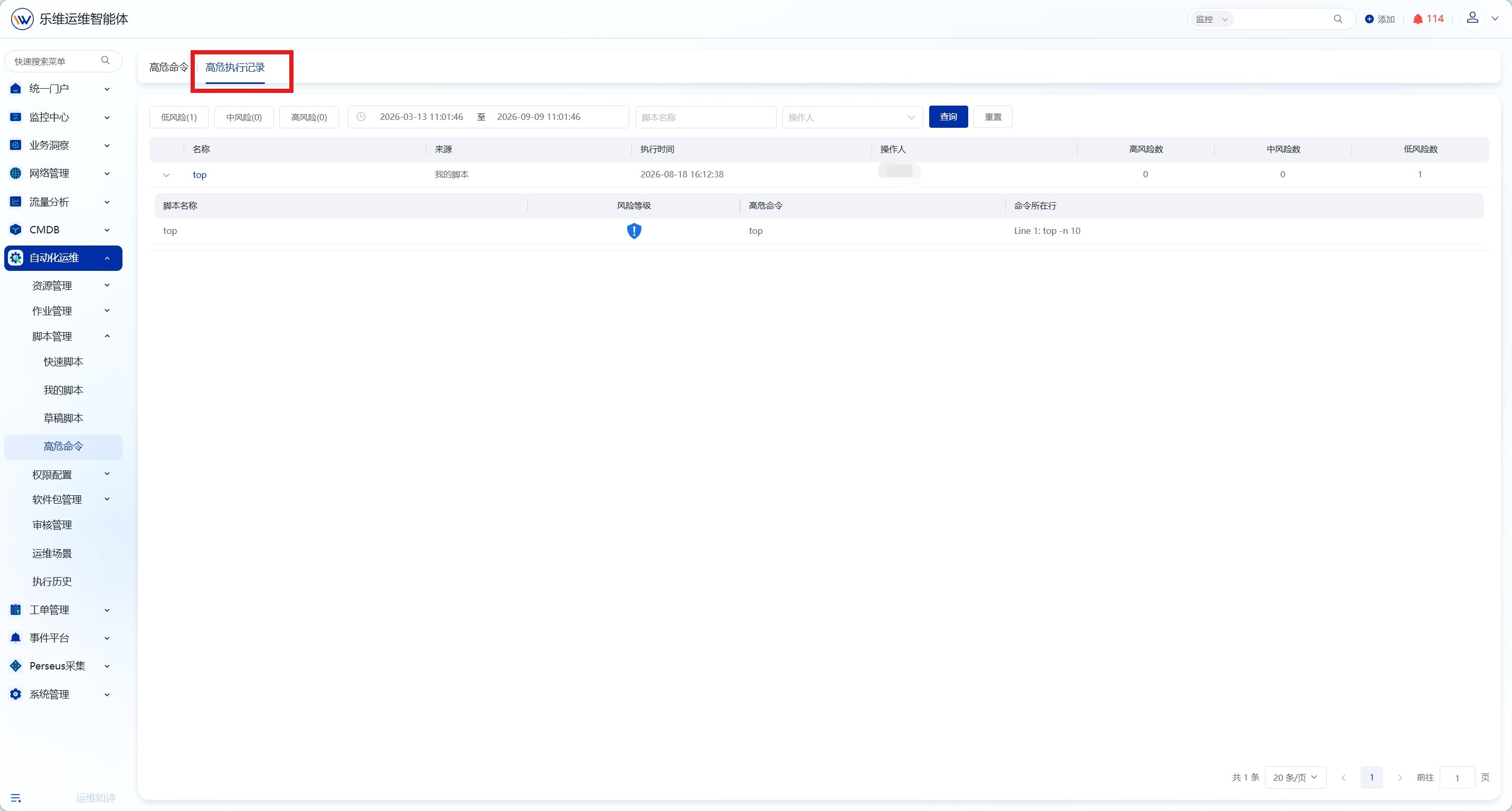
切换至高危执行记录，支持通过时间段、风险等级、脚本名称和操作人筛选高危执行记录

<img src="https://mintcdn.com/lerwee/Xm4nAznWHmFsY_cF/images/sop-20260914/automation-scripts-sop/automation-scripts-sop-11-20260914.png?fit=max&auto=format&n=Xm4nAznWHmFsY_cF&q=85&s=039bfe6cb8ea0d956305214552eeddb0" alt="脚本管理 操作截图 11" width="2864" height="1536" data-path="images/sop-20260914/automation-scripts-sop/automation-scripts-sop-11-20260914.png" />