> ## Documentation Index
> Fetch the complete documentation index at: https://doc.lwops.cn/llms.txt
> Use this file to discover all available pages before exploring further.

# 资源管理

<Tip>
  操作视频：[资源管理](https://forum.lwops.cn/videos?video_id=42\&page=1)
</Tip>

## 1. **主机管理**

### **1.1. 概述**

具备主机纳管能力，可对已接入平台的主机执行主机巡检、安全软件重启、应用软件安装、主机磁盘清理等自动化操作；支持新建主机、测试连接、编辑删除主机信息，提升主机运维效率，降低人工操作风险

### **1.2. 配置步骤**

登录乐维平台后，在左侧导航栏点击【自动化运维】-【资源管理】-【主机管理】，进入主机管理页面。

#### 1.2.1. **添加主机**

点击右上角"新建"按钮添加新的主机设备
<img src="https://mintcdn.com/lerwee/Xm4nAznWHmFsY_cF/images/sop-20260914/automation-resources-sop/automation-resources-sop-01-20260914.png?fit=max&auto=format&n=Xm4nAznWHmFsY_cF&q=85&s=20850b70fbe5d0a3c4d43b8bb4619e38" alt="资源管理 操作截图 1" width="2864" height="1536" data-path="images/sop-20260914/automation-resources-sop/automation-resources-sop-01-20260914.png" />

填写主机名、IP、账号、密码、端口、代理等信息后，点击确定保存信息。

<img src="https://mintcdn.com/lerwee/Xm4nAznWHmFsY_cF/images/sop-20260914/automation-resources-sop/automation-resources-sop-02-20260914.png?fit=max&auto=format&n=Xm4nAznWHmFsY_cF&q=85&s=d1c602cb3b8b22432e350565fa6f8414" alt="资源管理 操作截图 2" width="2864" height="1536" data-path="images/sop-20260914/automation-resources-sop/automation-resources-sop-02-20260914.png" />

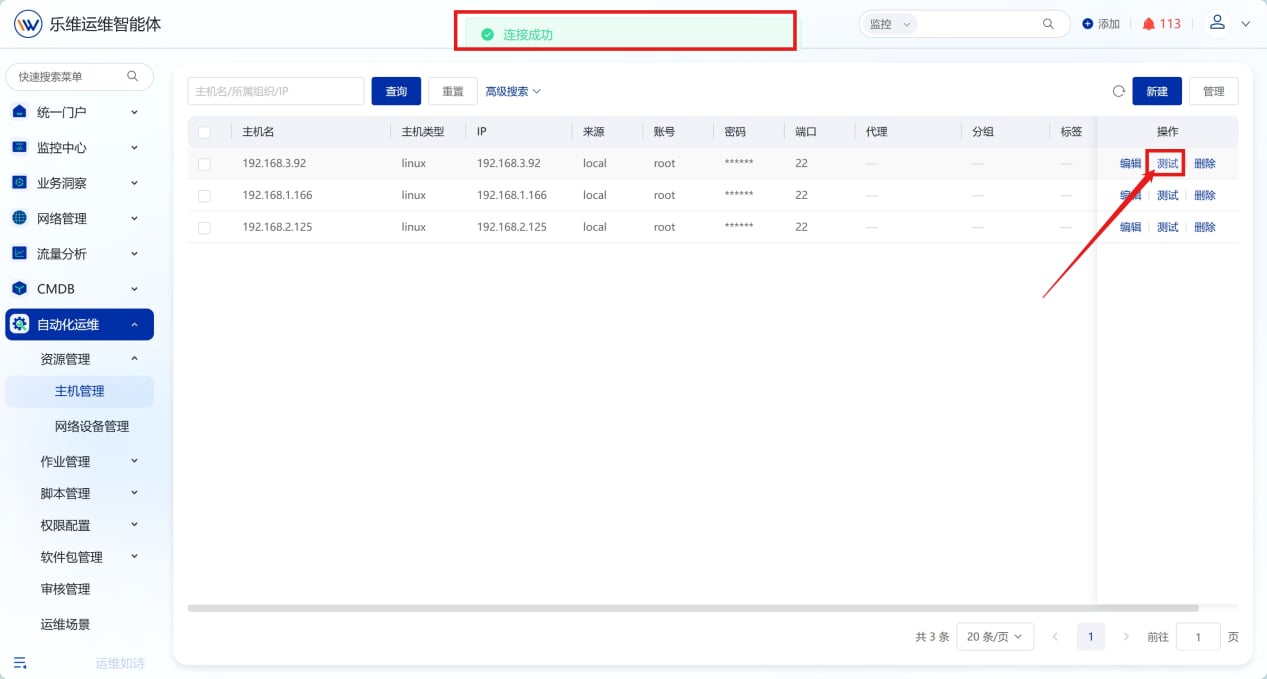
#### 1.2.2. **测试连接**

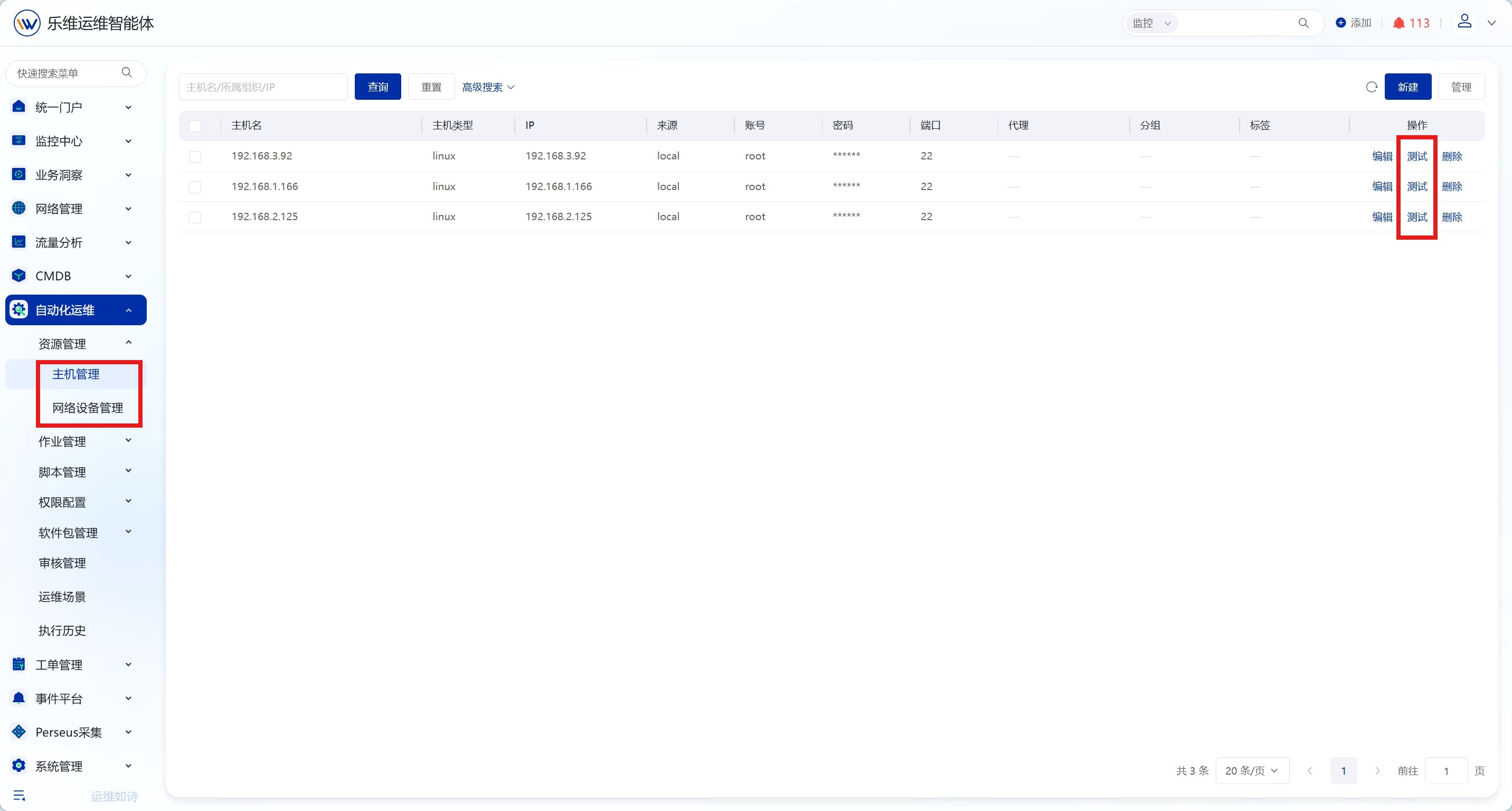
完成主机创建后，点击测试，验证信息填写正确及主机连通性

<img src="https://mintcdn.com/lerwee/Xm4nAznWHmFsY_cF/images/sop-20260914/automation-resources-sop/automation-resources-sop-03-20260914.png?fit=max&auto=format&n=Xm4nAznWHmFsY_cF&q=85&s=fc55d0323a7eca92189f52a8bcb32236" alt="资源管理 操作截图 3" width="1267" height="679" data-path="images/sop-20260914/automation-resources-sop/automation-resources-sop-03-20260914.png" />

## 2. **网络设备管理**

### **2.1. 概述**

实现交换机、路由器等网络设备纳管，支持网络巡检、端口启停、VLAN 修改等自动化运维动作；可新增网络设备，维护设备账号、厂商、连接方式等信息，简化网络运维，提升配置效率与安全性。

### **2.2. 操作步骤**

点击【自动化运维】-【资源管理】-【网络设备管理】，进入网络设备管理页面。

#### 2.2.1. **添加网络设备**

**方式一：手动创建**

点击"新建"按钮可添加新的网络设备。

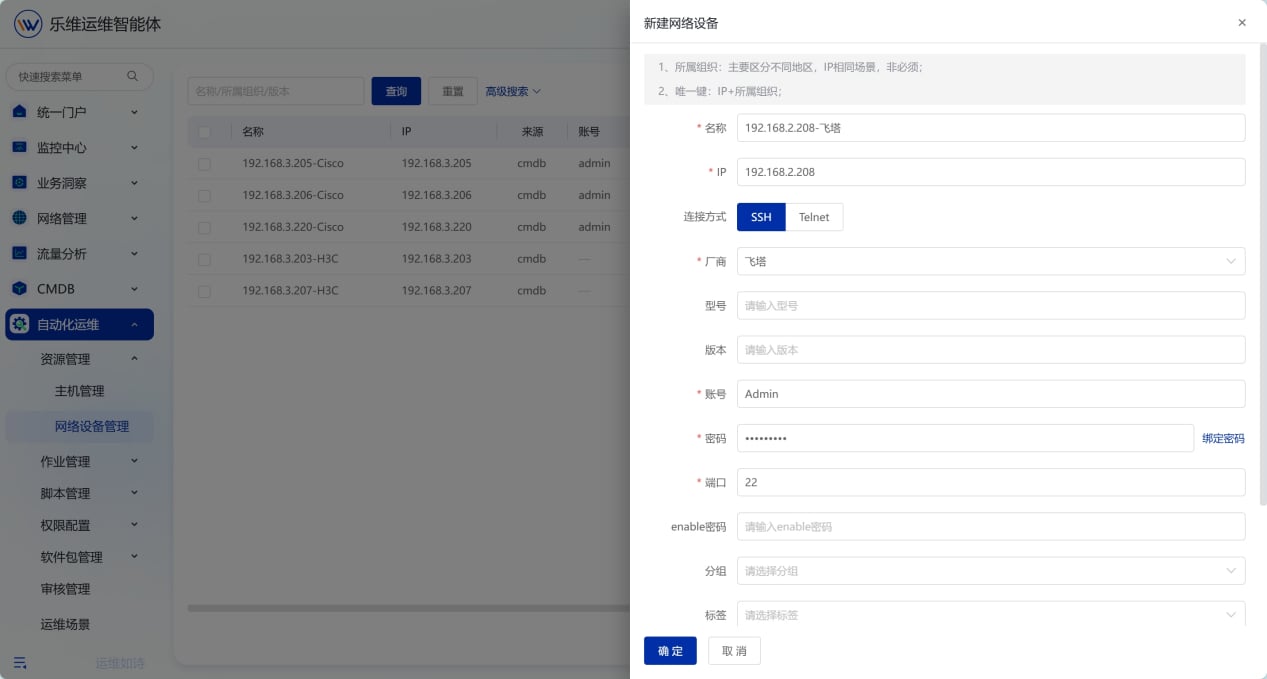
<img src="https://mintcdn.com/lerwee/Xm4nAznWHmFsY_cF/images/sop-20260914/automation-resources-sop/automation-resources-sop-04-20260914.png?fit=max&auto=format&n=Xm4nAznWHmFsY_cF&q=85&s=ce6c6c55af8433c2ad329b27a4e952fb" alt="资源管理 操作截图 4" width="2864" height="1536" data-path="images/sop-20260914/automation-resources-sop/automation-resources-sop-04-20260914.png" />

填写名称、IP、厂商、连接方式（ssh/telnet）、端口（22/23）、账号密码等，填写完成后点击确定保存信息

<img src="https://mintcdn.com/lerwee/Xm4nAznWHmFsY_cF/images/sop-20260914/automation-resources-sop/automation-resources-sop-05-20260914.png?fit=max&auto=format&n=Xm4nAznWHmFsY_cF&q=85&s=90ea794c1a8c2def7d4e69ee1d4e649a" alt="资源管理 操作截图 5" width="1267" height="679" data-path="images/sop-20260914/automation-resources-sop/automation-resources-sop-05-20260914.png" />

**方式二：监控中心同步**

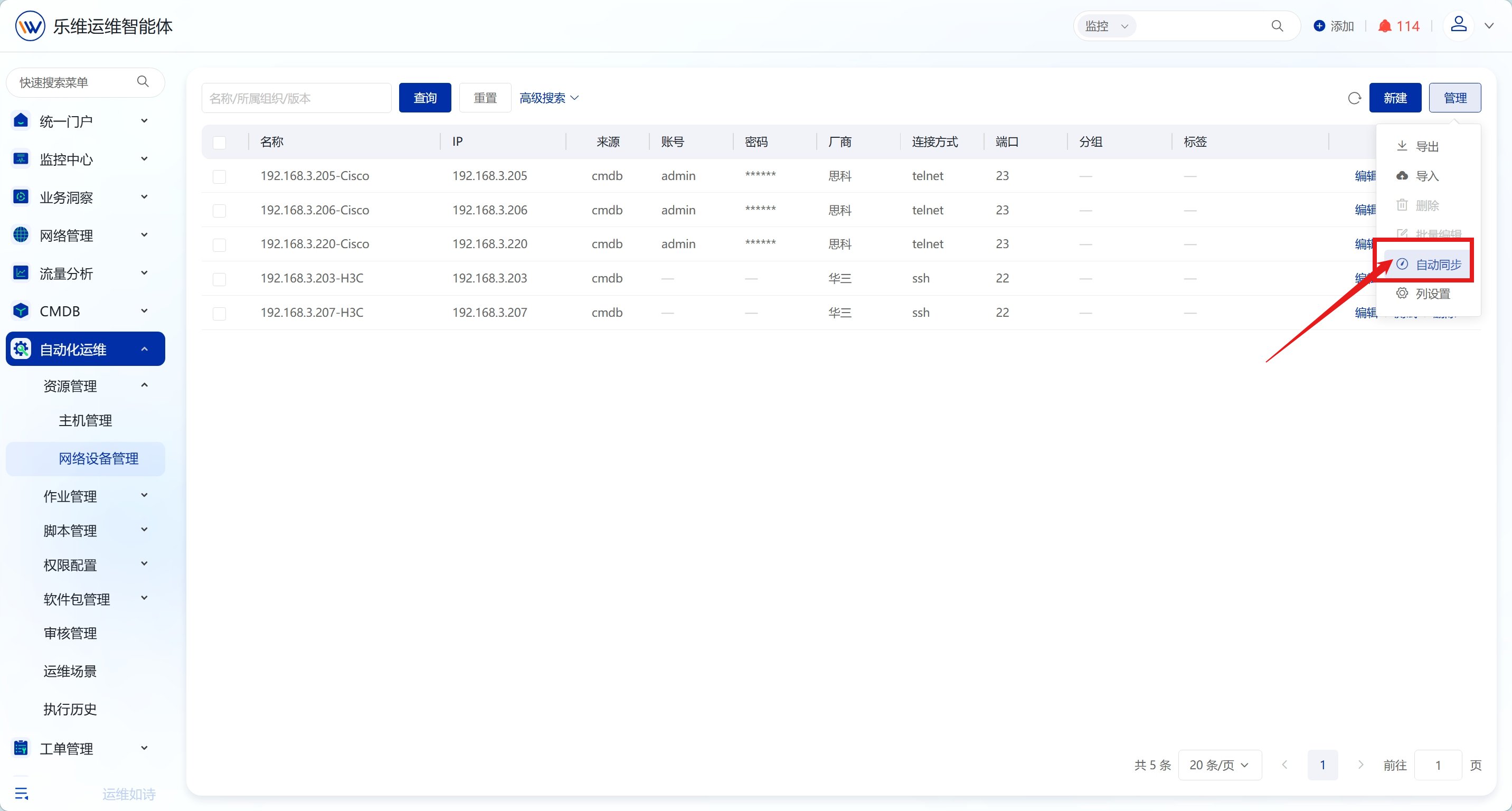
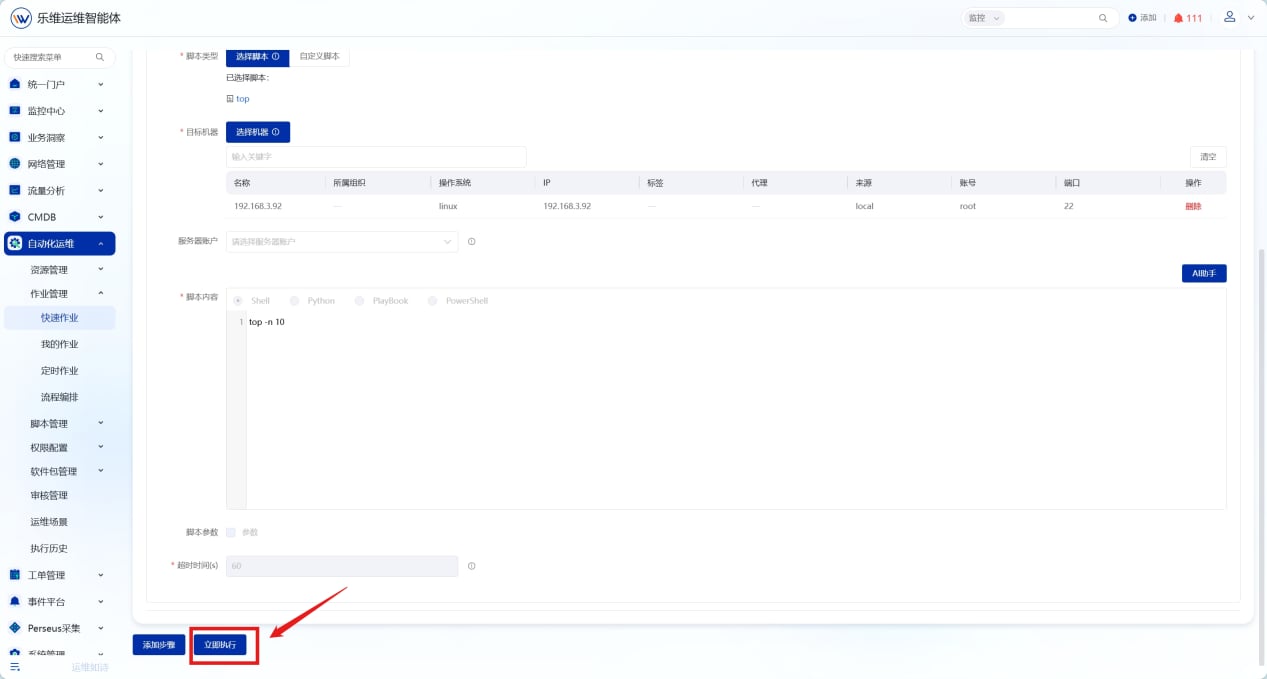
支持将【监控中心】-【网络设备】资源同步至自动化运维模块。可配置同步周期、匹配规则等，并支持手动执行同步

<img src="https://mintcdn.com/lerwee/Xm4nAznWHmFsY_cF/images/sop-20260914/automation-resources-sop/automation-resources-sop-06-20260914.png?fit=max&auto=format&n=Xm4nAznWHmFsY_cF&q=85&s=f607364198414087125c9bd825461df9" alt="资源管理 操作截图 6" width="2864" height="1536" data-path="images/sop-20260914/automation-resources-sop/automation-resources-sop-06-20260914.png" />

<img src="https://mintcdn.com/lerwee/Xm4nAznWHmFsY_cF/images/sop-20260914/automation-resources-sop/automation-resources-sop-07-20260914.png?fit=max&auto=format&n=Xm4nAznWHmFsY_cF&q=85&s=bbc79a406e2c2e4a63d1df22d30031eb" alt="资源管理 操作截图 7" width="1267" height="679" data-path="images/sop-20260914/automation-resources-sop/automation-resources-sop-07-20260914.png" />

#### 2.2.2. **测试连接**

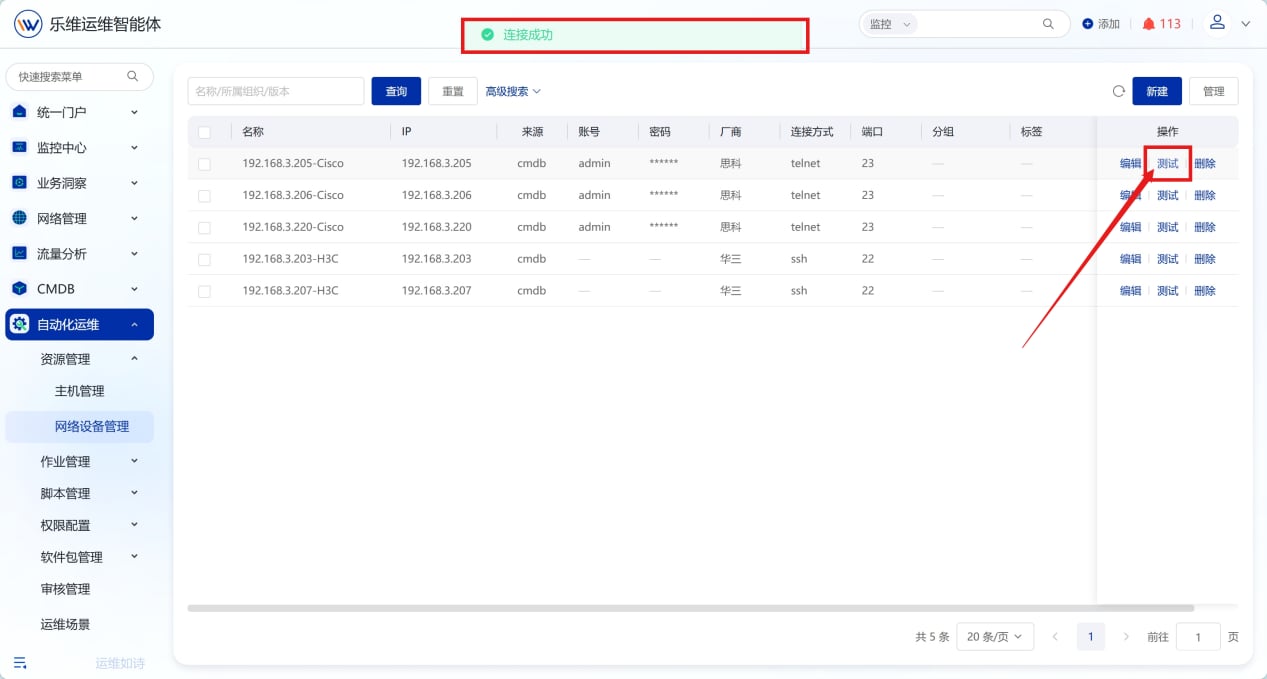
完成设备创建后，点击测试按钮，测试信息填写是否正确及连通性

<img src="https://mintcdn.com/lerwee/Xm4nAznWHmFsY_cF/images/sop-20260914/automation-resources-sop/automation-resources-sop-08-20260914.png?fit=max&auto=format&n=Xm4nAznWHmFsY_cF&q=85&s=e0723849fc15409b8d033d4387430cfa" alt="资源管理 操作截图 8" width="1267" height="679" data-path="images/sop-20260914/automation-resources-sop/automation-resources-sop-08-20260914.png" />